
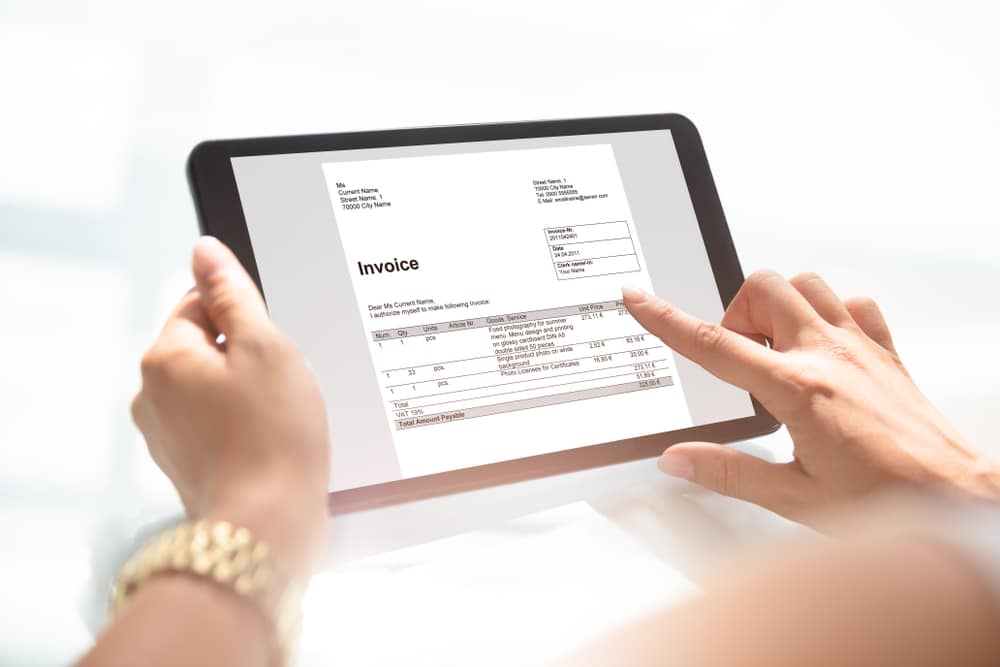

Invoicing is the last step of every job and the one that decides when you actually get paid. This guide covers invoicing for contractors and field service teams: what a good invoice contains, when to bill, how to set payment terms, and how to build an invoice management process that keeps cash moving without the office chasing people.
Quick Answer: How Do You Invoice for Field Service Work?
Create the invoice from the completed job, including the customer details, itemized labor and materials, the total, the due date, and payment instructions. Send it the same day, offer online payment, and follow up on a set schedule if it goes unpaid. Field service software can turn a finished job into an invoice in one step, which cuts retyping and errors. Consistent invoicing for contractors comes down to complete invoices, same-day delivery, and a fixed follow-up routine.
What Is Field Service Invoicing?
Field service invoicing is the process of billing a customer for work performed on-site, from the moment a technician finishes the job until the money reaches your account. It sits between the work itself and your bookkeeping, so mistakes here affect both customer relationships and cash flow.
Most field businesses have more moving parts than a typical small business invoice. Labor hours, parts, trip charges, deposits already paid, and approved change orders all feed into the final number. When those details live on paper or in a technician’s memory, the invoice slows down, and so does payment. A system that includes job notes, estimates, and invoices in one place, such as field service management software, keeps those details connected.
Why Invoice Management Matters for Cash Flow
Invoices are where finished work turns into cash, so late ones are expensive. This section covers what the data says about late payments and why the process matters even for small teams.
QuickBooks’ 2026 Small Business Late Payments Report found that 59% of small businesses have invoices overdue by 30 days or more, up from 47% the year before. Businesses with unpaid invoices were owed $17.7K on average. The same report found that 39% of owners said a single late payment made it hard to cover payroll or bills in the past year, and 27% said a missed payment under $5,000 was enough to do it. These are survey results from small businesses across industries, not field service alone, but the pattern is familiar to any contractor waiting on a customer.
The report also found that tighter payment terms, faster follow-up, and more automated processes were all associated with fewer overdue invoices and less cash-flow stress. That’s the case for treating invoicing as a process rather than an afterthought. For related reading, see how digital payments improve cash flow for field service companies.

What to Include on a Contractor Invoice
A clear invoice answers every question a customer would otherwise call about. This table lists the fields that matter and why each one is there.
| Element | What to Include | Why It Matters |
| Business details | Name, address, phone, license number where required | Confirms who is billing and supports trust |
| Customer details | Name, service address, billing address | Prevents misdirected invoices. |
| Invoice number and date | A unique, sequential number and the issue date | Keeps records clean and payments traceable. |
| Job reference | Work order or job number, and the date of service | Lets the customer match the bill to the visit. |
| Itemized work | Labor, parts, trip charges, and any approved extras | Reduces “what is this charge?” disputes. |
| Adjustments | Deposits paid, discounts, and taxes | Shows how the total was reached. |
| Total and due date | Amount owed, and the exact date payment is due | Removes ambiguity about timing. |
| Payment options | Online link, card, bank transfer, accepted methods | Makes paying the easiest next step |
| Terms | Late fees, warranty notes, or dispute contact, if you use them | Sets expectations before there’s a problem |
| Approval record | Customer approval, signature, email confirmation, or accepted estimate | Helps prevent disputes over scope or extras. |
Licensing and tax rules vary by state and trade, so check what your state requires on invoices and consult your accountant for tax treatment.
Types of Invoices for Service Work
Different jobs call for different billing. This section explains the four most common types and when each one fits.
- Estimate or proposal. An estimate gives the customer a price before work begins. It isn’t a bill, but a good one carries into the invoice so the numbers match. Our guide on how to write a plumbing quote walks through the structure.
- Standard invoice. A single invoice sent when a job finishes. This suits repairs, service calls, and tune-ups.
- Progress invoice. Billing in stages for longer projects, such as a multi-week installation. Each invoice covers work completed to date, so your cash position doesn’t depend on the last day of the job.
- Recurring invoice. Billing on a set schedule for maintenance plans and service agreements. The amounts barely change, so automation removes most of the effort.
For longer jobs, progress invoicing often works best alongside a deposit upfront. Service Fusion supports progressive billing, so you can invoice a job or quote in stages as work is completed. Check Service Fusion’s plans for current feature availability.
How to Set up a Field Service Invoicing Process
A reliable process matters more than any single invoice. This section sets out the steps in order, from the job site to the bank.
- Capture details at the job. Technicians record labor time, parts used, and photos while they’re still on site, so the office doesn’t have to reconstruct the visit from memory.
- Confirm scope and price with the customer. Approve any changes before the work happens. Surprises on the invoice are the most common cause of disputes.
- Generate the invoice from the job. Pull labor, parts, and approved estimate lines into the invoice rather than retyping them.
- Send it the same day. The longer an invoice waits, the longer payment waits. Send by email or text with a payment link.
- Collect payment where you can. Take card or bank payment on-site, or send an online link before the technician drives away.
- Follow up on a schedule. Decide in advance when reminders go out, such as before the due date, on the due date, and at set intervals after it. Automated reminders take the awkwardness out of this.
- Reconcile and review. Match payments to invoices, sync with your accounting software, and review outstanding balances each week.
Do this: Write your follow-up schedule down and apply it to every customer. Consistency is easier on relationships than ad hoc chasing.
Choose Payment Terms That Speed up Payment
Terms are a setting you control, and they have a measurable effect. This section covers how to choose terms by job type.
The QuickBooks report found that businesses requiring immediate payment were nearly twice as likely to have no overdue invoices. Among businesses with no overdue invoices, 64% required immediate payment, compared with 34% among those with overdue invoices. The report also notes that some industries and customer relationships need extended terms, so this is a guide, not a rule.
A practical way to apply it:
- Residential repairs and service calls: Due upon completion, with payment collected on-site or via a link.
- Larger residential projects: A deposit up front and progress invoices at agreed milestones.
- Commercial accounts: Net terms where the customer requires them, with a clearly stated due date and a reminder schedule.
- Maintenance plans: Recurring billing on a fixed date, ideally with card or bank details on file.
State the terms on the estimate, repeat them on the invoice, and make sure the customer sees them before work begins.
If you use deposits, late fees, or progress payments, confirm your state rules and put the terms in writing before work begins.

Common Invoicing Mistakes and How to Fix Them
Most invoice problems are small, recurring errors. This section lists the ones that cost the most time and how to prevent them.
- Vague line items. “Labor and materials” invites questions. Itemize, even briefly.
- Late invoicing. Invoices sent days or weeks after the job are paid later. Send the same day.
- Missing payment instructions. If the customer has to ask how to pay, payment is delayed.
- No follow-up routine. Chasing only when cash is tight leads to uneven treatment and slower collection.
- Duplicate or lost invoices. Paper and spreadsheets are the usual cause. A single system with unique invoice numbers prevents both.
- Disconnected accounting. Re-entering invoices into bookkeeping software doubles the work and the chance of errors.
- Unapproved extras. Get written or digital approval for changes so the invoice matches what the customer agreed to.
Paper, Spreadsheets, or Software?
The right tool depends on volume, but the trade-offs are predictable. This table compares the three common approaches.
| Approach | Works Well When | Breaks Down When |
| Paper invoices | A one-person business with a few jobs a week | Handwriting, lost copies, duplicates, no payment link. |
| Spreadsheet or template | Low volume, simple jobs | Tracking who has paid, reminders, and reconciliation |
| Field service software | Multiple technicians or any recurring work | Setup is rushed, data is messy, or the team does not use it consistently. |
Our free invoice templates are a reasonable starting point for trades such as painting, locksmithing, and appliance repair. Once you have several technicians or recurring customers, the software removes the manual steps that templates leave behind.
What to Look for in Invoicing Software for Contractors
Invoicing software varies widely in what it covers. This section lists the capabilities that matter most for field teams.
- Job-to-invoice conversion. Completed work should be converted to an invoice without retyping.
- Mobile access. Technicians should be able to view estimates and invoices, add notes and photos, and take payment from the field. See mobile apps for field service.
- Online and in-person payments. Card, debit, and bank transfer, plus a payment link on every invoice. Read our explainer on what payment processing is if you’re comparing options.
- Progress and recurring billing. For long projects and maintenance plans.
- Automated reminders. Follow-ups that go out on your schedule.
- Accounting sync. Invoice and payment data that reaches your bookkeeping software without re-entry.
- Reporting. A view of what is outstanding and how long it has been waiting.
- Customer approval history. Accepted estimates, signed approvals, photos, and job notes should stay attached to the invoice.
How Service Fusion Handles Invoicing
Service Fusion is field service invoicing software that keeps the job, estimate, invoice, and payment in a single workflow.
You can convert a job to a digital invoice with one click, and Service Fusion Payments lets customers pay online or on mobile devices. Technicians can collect payment on site with the mobile payments app and a card reader, which means money arrives when the work finishes rather than weeks later. Other options include online payment forms with automated payment follow-ups, card-on-file for repeat customers, job deposits, and ACH check capture. Invoicing and payment data reside in a single system of record, making monthly reconciliation simpler.
For maintenance contracts, Service Fusion is building service agreements with automated invoicing on a schedule you set, as covered in our post on how service agreements work. Pair invoicing with flat-rate pricing and consistent estimates, and the numbers on the invoice match what the customer agreed to. Industry-specific setups are available for HVAC, plumbing, electrical, and cleaning businesses, among others.
Ready to see it working? Book a free Service Fusion demo and walk through a job from estimate to payment.
Invoice Management: What to Track Each Week
You can’t improve what you don’t track. Here are the simple numbers worth reviewing weekly.
- Days from job completion to invoice sent. Aim to shrink this toward zero.
- Days from invoice to payment. Track the average and the slowest customers.
- Share of invoices overdue. Watch the trend, not just the total.
- Total outstanding balance. Compare it with your monthly costs to see how exposed you are.
- Share paid on site. A rising number means faster cash.
Set your own benchmarks from your first month of data rather than borrowing a number from another business.
Field Service Invoicing FAQs: Common Questions From Contractors
These are the questions contractors and office teams ask most about invoicing service work, from what to include to how to handle late payers. For software specifics, see Service Fusion’s field service management software.
What should be on a contractor invoice?
Include your business details, the customer’s name and service address, a unique invoice number, the date of service, itemized labor and materials, any deposits or discounts, the total, the due date, and how to pay. Check state requirements, such as license numbers, for your trade.
When should a service business send an invoice?
Send it the same day the job is finished, ideally before the technician leaves the site. Prompt invoices are paid sooner, and details are fresher for both you and the customer.
What is progress invoicing?
Progress invoicing bills a customer in stages as work is completed on a longer project. Each invoice covers the work done so far, spreading payment across the job and reducing your exposure if a project runs long.
What is invoice management?
Invoice management is the process of creating, sending, tracking, following up on, and reconciling invoices. For field service businesses, it connects the completed job to payment and bookkeeping.
How long should customers have to pay?
For repairs and service calls, due on completion works well. For larger projects, use a deposit and milestone payments. Commercial customers may require net terms, but longer terms are linked to more overdue invoices, so state the due date clearly and follow up on schedule. See our guide to collecting deposits.
Do I need invoicing software if I only have a few jobs a week?
Not always. A template can work at low volume. Software starts to pay off when you have several technicians, recurring customers, or regular late payments, because it handles reminders, tracking, and reconciliation for you.
What is field service invoicing software?
Field service invoicing software helps contractors create invoices from completed jobs, send payment links, collect payment, track overdue balances, and sync invoice data with accounting software.
How do I invoice recurring maintenance customers?
Use a recurring invoice tied to the customer’s maintenance plan, billed on a fixed schedule such as monthly or annually. Keeping a payment method on file makes collection more consistent. See how service agreements work.
What can I do about late-paying customers?
Confirm your terms were clear, send a reminder on the due date, and follow your written schedule from there. Making online payment easy and collecting deposits upfront reduces the problem at the source. For further reading, see our post on digital payments and cash flow.
What is the difference between an estimate and an invoice?
An estimate gives the customer an expected price before work begins. An invoice is the bill sent after work is completed or after an agreed project milestone. The final invoice should match the approved estimate unless the customer approved changes.
Streamline Your Invoicing With Service Fusion
Faster invoices and easier payments come from one connected workflow, from job to invoice to payment. Book a free demo to see how Service Fusion handles it for your trade.
Article Sources
- Intuit QuickBooks. 2026 Small Business Late Payments Report. July 7th, 2026.

Related Posts
Must-Have Tools for HVAC Technicians
Continue ReadingHow Kuhlman Electric Found Their Field Service ‘Game Changer’ and Doubled Revenue
Continue ReadingStay Informed
Get the latest news and insights plus, Service Fusion offers and updates.Thank you for your submission.
SHARE