
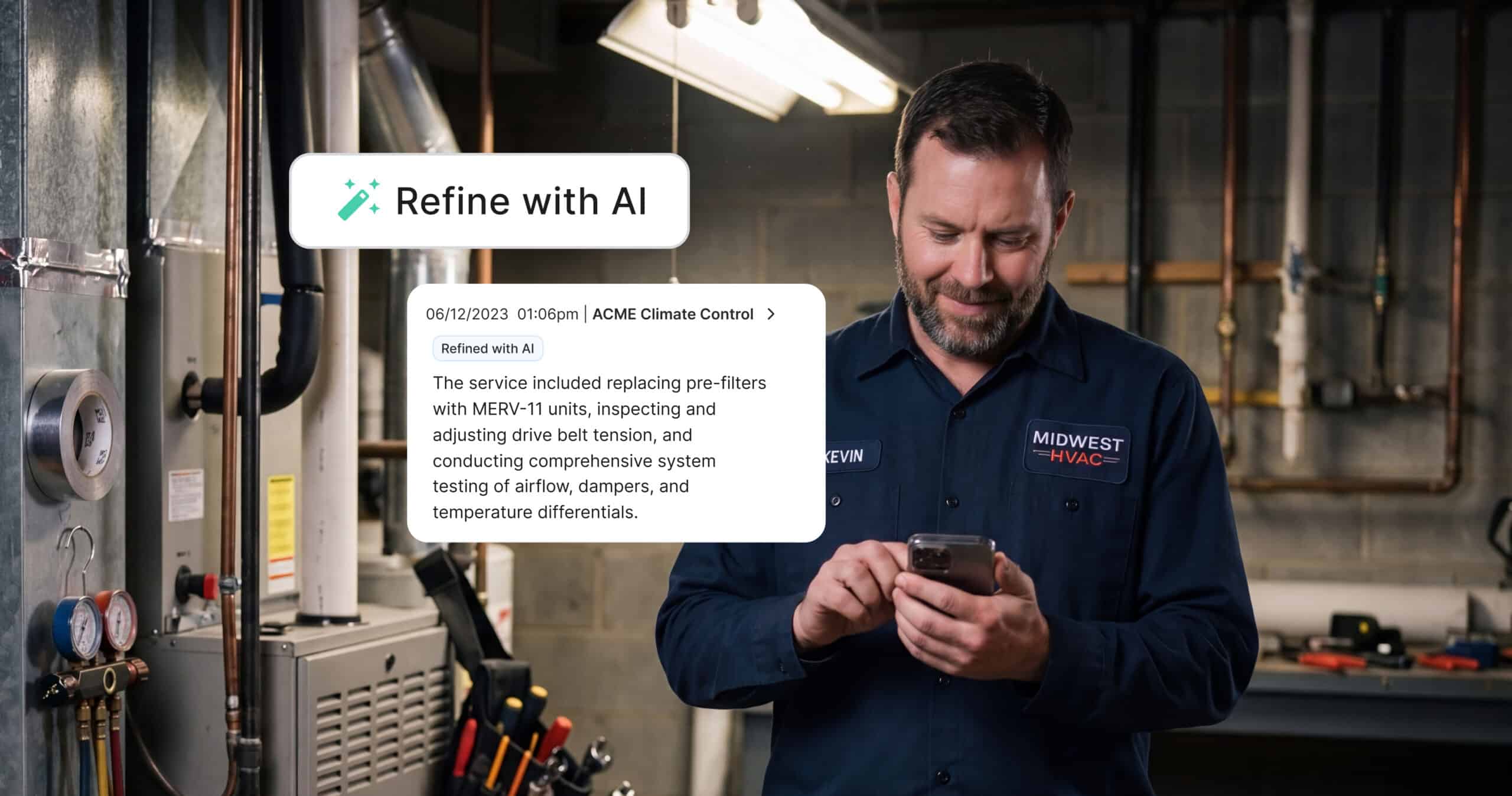


Your techs write job notes fast, on the move, between calls, sometimes with one hand on the truck door. That’s exactly how it should work. But those same notes often land in the back office looking nothing like a professional write-up: missing punctuation, shorthand only the tech understands, the occasional typo that turns “blower motor” into something unrecognizable.
Today, that gets easier. Service Fusion’s new Notes+ uses AI to turn a tech’s rough field notes into a clean, professional write-up, in one tap, without ever leaving the app.
Notes+ is launching as an Early Access feature, free for every Service Fusion customer. As one of our first AI-powered capabilities, we wanted to get it into your hands right away, so you can start saving time immediately and help shape where it goes next.
Why We Built This
Techs have always found workarounds for messy notes. Some retype them later. Some copy them into ChatGPT, clean them up, and paste them back in, an extra app, an extra step, on top of an already full day. Back-office staff, meanwhile, spend real time every day just making sense of what got written in the field.
“We spend an average of 3 minutes of administrative time per job fixing organizational, grammatical, and vocabulary words on job completion notes.” – Service Fusion customer
“We currently use ChatGPT for this, but it’s tedious to app-hop, especially for technicians. This would be a game changer.” – Service Fusion customer
That feedback came directly from Service Fusion customers, and it’s exactly the gap Notes+ was built to close.
“Field notes are one of those things that seem minor until you add up the minutes of back-office time spent chasing down clarifications or cleaning up typos,” said Ryan Eves, Director of Product Management, EverPro. “Notes+ closes that gap without adding more steps to a tech’s day. That’s the bar we wanted to hit: real time saved, zero new friction.”
What Notes+ Does
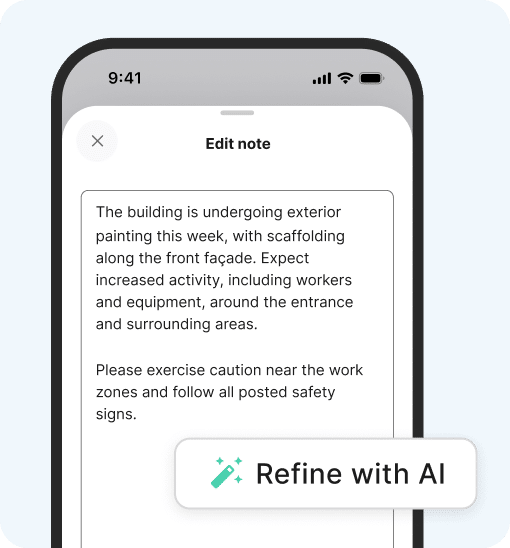
Notes+ lives inside the Job Notes and Completion Notes screens your techs already use, no new app, no new login.
Clean Up
- Turns rough, shorthand, or typo-filled notes into clear, professional write-ups
- Fixes spelling, grammar, and structure automatically
Stay in Control
- Every suggestion is reviewable before it saves
- Accept the clean version, edit it further, or discard it and keep the original
Built In, Not Bolted On
- Works directly inside the Service Fusion mobile app
- No copying notes into a separate AI tool and pasting them back
“The control piece mattered most to us,” shared Jonah Tuckman, Head of AI Product at EverPro. “Our goal is to give our users options when working to improve the quality of their work, not to remove them from the process.”
Three Ways Notes+ Makes Your Team More Productive
1. No more app-hopping. Techs and back-office staff no longer need to copy a note into an outside AI tool, wait, and paste it back. It happens in one tap, inside the app they’re already using.
2. No more decoding. Back-office staff spend less time making sense of what got written in the field, and less time following up with a tech to ask what they meant.
3. No more inconsistency. Every tech writes differently. Notes+ standardizes the output, so completed jobs read the same whether the note came from a five-year veteran or someone brand new to the team.
How to Get Started
Interested in seeing how Notes+ can save your team time on every job?
Already a Service Fusion customer? Notes+ is live now in the updated Service Fusion mobile app.
- Update the app. The Service Fusion by EverPro app is available via the App Store or Google Play.
- Open a Job Completion Note. Write it the way you normally would, however that looks.
- Tap Refine. Review the clean version, edit it if you want, or discard it and keep your original.
Notes+ is part of a growing toolkit of AI built directly into Service Fusion, alongside ZyraTalk, which answers and books calls when your office is busy or closed, and Advanced Search, which delivers instant, personalized answers from Service Fusion’s help center so you’re not stuck waiting on support. Because running a modern trade business shouldn’t mean bolting on a dozen disconnected tools, it should mean one platform built for how the work actually gets done. Notes+, ZyraTalk, and Advanced Search are just the start.
Learn More About the Service Fusion Mobile App →
FAQs about Service Fusion’s Notes+
Does Notes+ replace how my techs write notes?
No. Techs write notes the same way they always have. Notes+ cleans up what’s already written; it doesn’t change how or when notes get taken.
Do I have to use the suggested version?
No. Every suggestion can be accepted, edited, or discarded. The original note is never overwritten without your approval.
What is Early Access?
Early Access gives you immediate access to Notes+ as we continue to improve the feature. As one of Service Fusion’s first AI-powered features, we’re excited to make it available right away so you can share your feedback and we can build an even better experience together.
Who gets access and how do I get started?
Notes+ is available to all Service Fusion customers. Simply update to the latest version of the mobile app, and you’ll be ready to use Notes+ on your next job.
Will I suddenly lose access to Notes+?
No. We won’t take Notes+ away without notice. If anything about how it’s offered changes, we’ll let you know in advance so you have time to prepare.
How long will I have access?
Early Access will continue while we gather feedback and refine the Notes+ experience. If we make changes in the future, you’ll receive advance notice before they take effect.
Where can I use Notes+?
Notes+ is available on Job Notes and Completion Notes in the updated Service Fusion mobile app.
Related Posts
Best Field Service Software for Businesses With 5 to 20 Technicians (2026)
Continue ReadingField Service Software Data Migration Checklist
Continue ReadingStay Informed
Get the latest news and insights plus, Service Fusion offers and updates.Thank you for your submission.
SHARE