


Your crew works everywhere — in basements, rural routes, crawl spaces, and dead zones where cell service is just a suggestion. And until now, that meant productivity stopped the moment the signal did.
Today, that changes. Service Fusion’s new Offline Mode lets technicians access job details, capture notes, upload photos, and complete tasks without any internet connection. Then it syncs everything automatically the moment service returns.
Why We Built This
Field service work doesn’t wait for Wi-Fi. But for years, techs have been doing exactly that: screenshotting their schedules in the morning, driving to the top of a hill to upload a photo, or asking homeowners to share their Wi-Fi password just to log job notes. None of that is a workflow. It’s a workaround.
“We heard this over and over from technicians in the field,” said Shamas Nasir, Product Manager at Service Fusion. “They weren’t asking for something futuristic. They were asking for something basic: the ability to do their job when their phone loses signal. This feature is our answer to that, and it’s long overdue.”
For real field workers, this wasn’t a nice-to-have. It was a gap that Service Fusion needed to close.
What Offline Mode Does
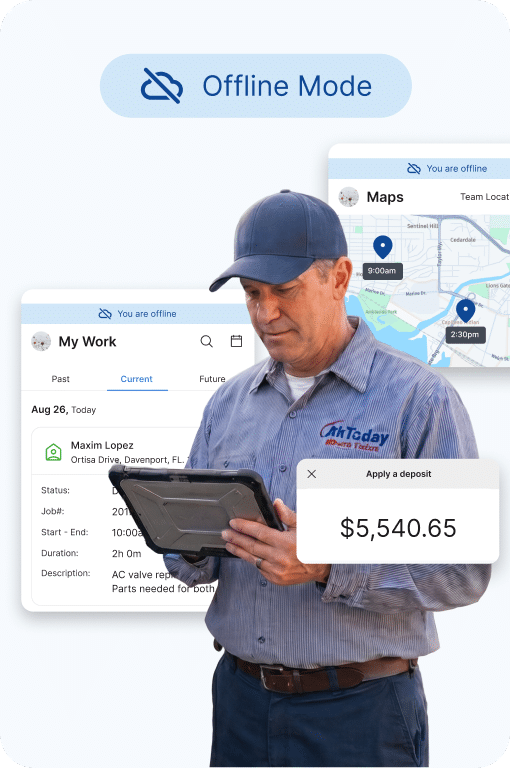
When a technician loses cell service, the Service Fusion app automatically detects the change and switches to Offline Mode within five seconds, with no manual toggle or setup required. Here’s what they can do while offline:
View & Access
- Job schedules and customer information
- Job details including notes, photos, documents, estimates, invoices, and equipment
- Details for up to 1,000 recently visited customers
Capture & Document
- Add and edit job notes
- Upload and update photos
- Add and edit job tasks and checklists
Automatic Sync
- When service returns, all changes sync in as fast as five seconds
- No re-entry, no duplicate data, no guessing what saved
“The sync behavior was something we were really intentional about,” shared Ryan Eves, Director of Product Management at EverPro. “We didn’t want techs to have to think about it. You do your work, signal comes back, and everything is up to date. It just works.”
How Service Fusion Offline Mode Stacks Up
Not all offline modes are created equal. Here’s how Service Fusion compares to other field service platforms:
| Capability | Service Fusion | ServiceTitan | Jobber | Housecall Pro |
| Job & Customer Info | View | View | View cached visits | Must pre-open manually |
| Notes & Photos | View, Add, Edit | View, Add, Edit | View, Add | View only |
| Job Tasks | View, Add, Edit | View, Add, Edit | View, Add | View only |
| Estimates | View | View, Add, Edit | Partial | No |
| Auto Sync | Auto, within 5 secs | Inconsistent, some customers report instability | Yes | N/A |
| Conflict Resolution | Last-write-wins + logging | Unspecified | Unspecified | N/A |
| Prep Burden | None | None | None | High (manual pre-open) |
The biggest differentiators: unlike Housecall Pro, there’s no prep work required before heading into the field. And unlike Jobber, technicians can do more than just view—they can actively add and edit while offline.
Three Ways Offline Mode Makes Your Crew More Productive
1. No more lost job details. Notes, photos, and task updates are captured in real time, even in areas with zero coverage. Nothing gets forgotten because there’s no “I’ll enter it later when I get signal.”
2. No more embarrassing workarounds. Asking a homeowner for their Wi-Fi password, driving to a parking lot to get enough bars to upload a photo…those moments are gone. Your techs look like pros because they can work like pros.
3. No more after-hours admin. When job documentation happens in the moment, there’s no catch-up work at the end of the day. Techs finish a job, sync automatically, and move on.
How to Get Started
Interested in learning more about Offline Mode and how it can help your crews keep working even when signal drops?
Already a Service Fusion customer? Offline Mode is live now in the updated Service Fusion mobile app.
- Download the app. The Service Fusion by EverPro app is available via the App Store or Google Play.
- Head into the field. No configuration needed. Offline Mode activates automatically when signal drops.
- Work as normal. Access jobs, capture notes, and upload photos. Everything syncs when you’re back online.
Offline Mode is part of a broader wave of mobile improvements Service Fusion has made, including the full mobile app rebuild, which includes faster load times, Camera Burst Mode, Dark Mode, and more. The mobile app your crew uses every day is getting a serious upgrade, and this is just the beginning.
Learn More About the Service Fusion Mobile App →
Frequently Asked Questions About Offline Mode
Does Offline Mode turn on automatically?
Yes. The app detects signal loss and activates Offline Mode within five seconds. No manual toggle required.
Will I lose any data if I lose connection mid-update?
No. All changes made while offline are stored locally and sync automatically when service returns.
What’s not available offline?
Creating new jobs or estimates, updating job status, processing payments, and viewing product catalogs are not currently available in Offline Mode. These are planned as a fast follow to this initial launch, though.
Does this require a specific plan?
Offline Mode is available to all Service Fusion customers on the updated mobile app.
How do I know when I’m in Offline Mode?
The app displays an “Available Offline” indicator so your techs always know their current status.
Related Posts
Field Service Software Data Migration Checklist
Continue ReadingBest Field Service Apps for Technicians in 2026
Continue ReadingStay Informed
Get the latest news and insights plus, Service Fusion offers and updates.Thank you for your submission.
SHARE