

So, ServiceTitan or Housecall Pro?
Housecall Pro is usually easier to learn and quicker to implement. ServiceTitan gives contractors more advanced tools for managing complex operations.
That sounds like an easy decision. But more features do not automatically mean better value, and simpler software can become expensive as your team grows or needs more add-ons.
This guide compares the two platforms across pricing, scheduling, reporting, usability, and scalability to help you choose software that will continue to work for your business in the years ahead.
We’ll also explain why Service Fusion may be a stronger fit for growing contractors who need broad field-service functionality, unlimited users, and more predictable costs.
ServiceTitan vs Housecall Pro: Quick Answer
Housecall Pro is easier to get up and running. It gives smaller contractors a simple way to manage schedules, customers, estimates, invoices, and payments. But that simplicity can become a limitation when the business needs more detailed reporting or specialized workflows.
ServiceTitan goes much deeper. It gives managers more control over reporting, automation, memberships, marketing, and multi-team operations. The trade-off is more setup, more training, and a larger financial commitment.
Service Fusion fills the gap between the two. It gives growing contractors broader operational tools without the cost and complexity of an enterprise-heavy platform.
ServiceTitan vs Housecall Pro at a Glance
| Category | ServiceTitan | Housecall Pro |
| Best for | Larger contractors with complex workflows and reporting needs | Small and mid-sized home service businesses |
| Pricing | Custom pricing based on technicians and package requirements | Published monthly and annual plans |
| Setup | More structured implementation and training | Faster, more self-directed setup |
| Scheduling and dispatch | Advanced tools with extensive configuration options | Simpler tools that are easier to manage |
| Reporting | Detailed operational and performance reporting | Straightforward reports for everyday management |
| Inventory and purchasing | Broader tools for complex inventory workflows | More limited inventory capabilities |
| Main strength | Operational depth and business visibility | Ease of use and quick adoption |
| Main drawback | Higher cost, longer setup, and greater complexity | Fewer advanced features and customization options |
What Is ServiceTitan?
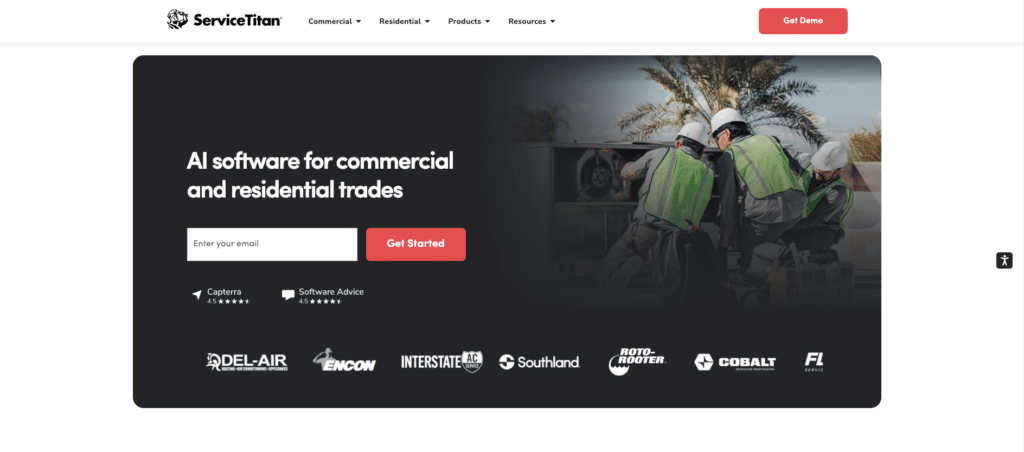
ServiceTitan is field service management software for residential and commercial contractors. It brings scheduling, dispatching, call booking, invoicing, pricebooks, payroll, reporting, commissions, and memberships into one platform.
Its biggest strength is depth. ServiceTitan can connect most parts of a field service business and give managers detailed visibility into customers, technicians, sales, and performance.
That depth comes at a cost. Pricing is custom and calculated per technician, while setup and training can take time. Smaller teams may also find they use only a fraction of the available tools.
ServiceTitan is best suited to businesses with complex operations and the internal resources to configure and manage the system properly.
Related: Service Fusion vs. ServiceTitan: Full Comparison
What Is Housecall Pro?
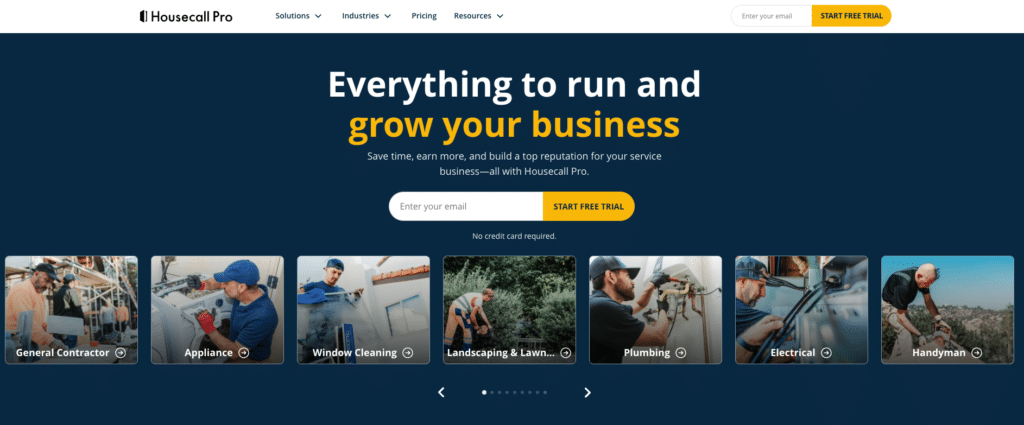
Housecall Pro is field service management software for home service businesses, including HVAC, plumbing, electrical, cleaning, landscaping, and appliance repair companies.
It combines online booking, scheduling, dispatching, estimates, invoices, payments, pricebooks, job costing, and review management on a single platform. Its main advantage is ease of use. Smaller teams can get started quickly without spending weeks configuring complex workflows.
Housecall Pro has also expanded its feature set with route-based scheduling, photo reports, commission tools, automation, and redesigned web and mobile apps.
However, Housecall Pro works best when processes remain relatively straightforward. Contractors that need highly customized workflows, deeper reporting, or more control over how the system operates may find it limiting.
Related: Service Fusion vs. Housecall Pro: Full Comparison
ServiceTitan vs Housecall Pro: Five Key Differences
The feature lists overlap, but the experience does not. These five differences will help you judge which platform better fits your team, workflows, and growth plans.
1. Pricing and Contracts
Housecall Pro wins on pricing transparency.
Its plans start at $79 per month for one user, falling to $59 with annual billing. Essentials costs $189 per month or $149 annually for five users. MAX costs $329 per month or $299 annually for eight users, with extra seats priced at $35 each. You can also test the platform with a 14-day free trial.
ServiceTitan publishes no fixed subscription rates. Pricing is calculated per technician and tailored to the company’s size, package, and operational requirements.
The catch with Housecall Pro is that the entry price tells only part of the story. Features such as route optimization, recurring service plans, advanced proposals, open API access, and dedicated onboarding require the highest plan.
Contractors should compare the full cost at their expected team size, including users, add-ons, implementation, and payment fees. Our guide to field service management software costs explains what to include in that calculation.
The difference: Housecall Pro offers more pricing transparency. ServiceTitan requires a closer look at whether its advanced tools justify the final quote.
2. Ease of Use and Implementation
Housecall Pro is easier to get up and running. Its setup is largely self-directed, and the free trial lets teams test the main workflows before choosing a plan.
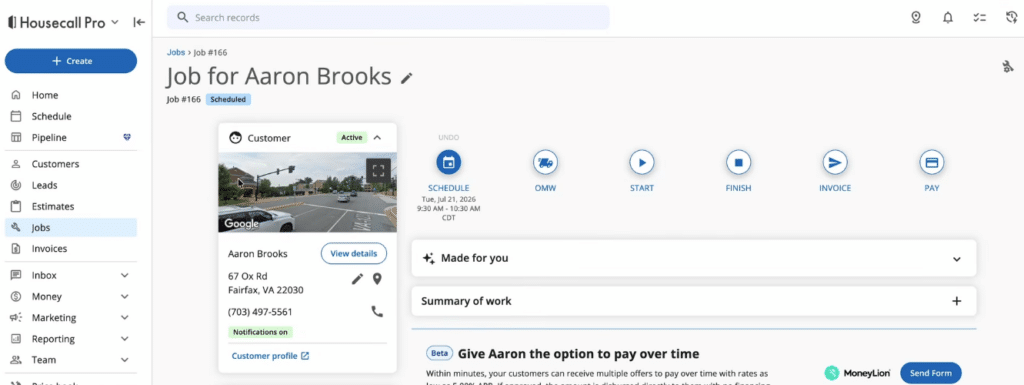
Smaller businesses can usually start scheduling jobs, sending estimates, and managing customers without a long implementation process.
ServiceTitan takes more preparation. The platform can be configured around departments, permissions, pricebooks, reports, and operational workflows, giving larger businesses more control.
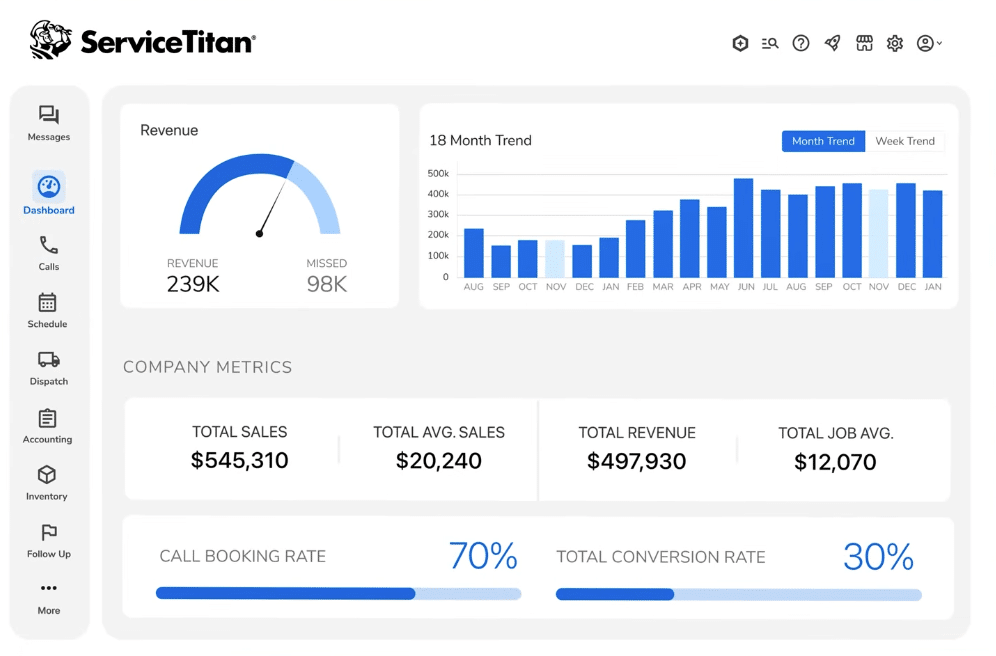
The trade-off is time. Setup, data migration, training, and ongoing administration can become a substantial project. McKinsey’s research also shows that successful digital rollouts depend on employee involvement, accessible tools, and changes to day-to-day processes, not the software alone.
That investment may pay off for complex operations, but smaller teams risk using only a fraction of the platform.
The difference: Housecall Pro gets teams working faster. ServiceTitan offers more control but requires more time and internal resources.
3. Scheduling, Dispatching, and Mobile Tools
Both platforms handle the basics of scheduling jobs and assigning technicians.
Housecall Pro keeps these workflows simple. Scheduling and dispatching are included across all plans, while Essentials adds routes and employee GPS tracking. MAX adds route optimization.
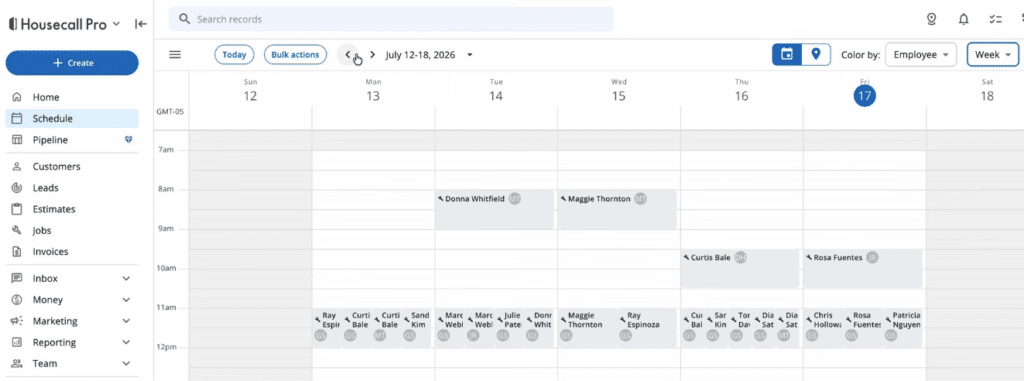
Technicians can also view job details, create estimates and invoices, collect payments, upload photos, and capture signatures from the mobile app.
ServiceTitan gives dispatchers more control. It combines drag-and-drop scheduling with call booking, technician tracking, capacity planning, configurable forms, customer histories, and more detailed workflow settings.
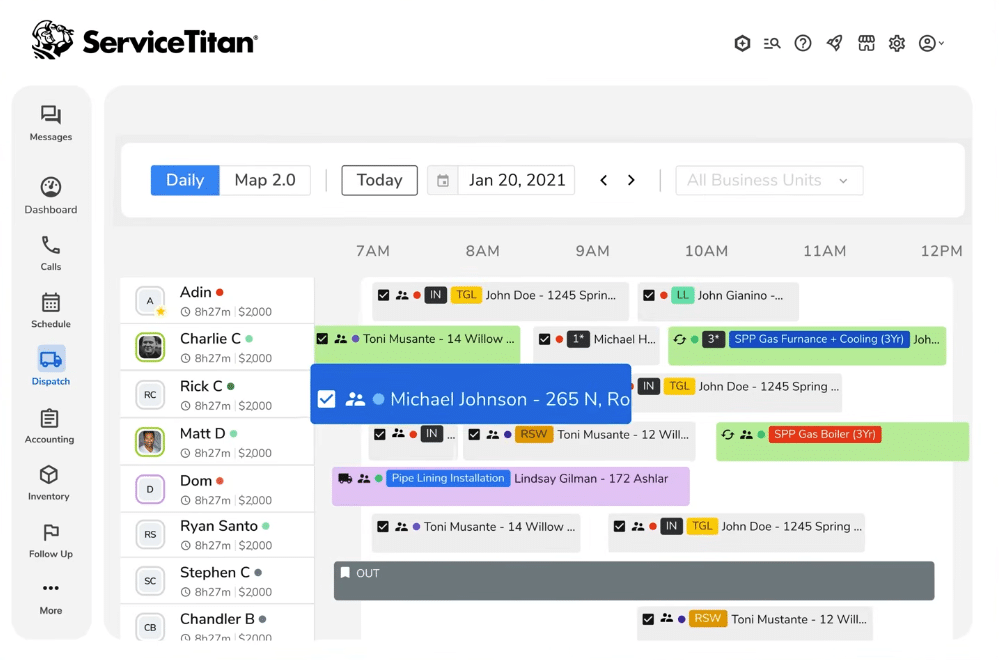
That extra control becomes useful when a business manages several dispatchers, service areas, departments, or job types. It can also make the platform slower to learn.
The difference: Housecall Pro is easier for everyday scheduling. ServiceTitan is better equipped for complex dispatch operations.
4. Estimates, Payments, and Customer Management
Housecall Pro keeps the customer journey straightforward.
You can book jobs, create estimates, send invoices, collect payments, offer financing, request reviews, and manage customer records from one place. Higher plans add tools such as flat-rate pricing, commissions, checklists, and QuickBooks Online syncing.
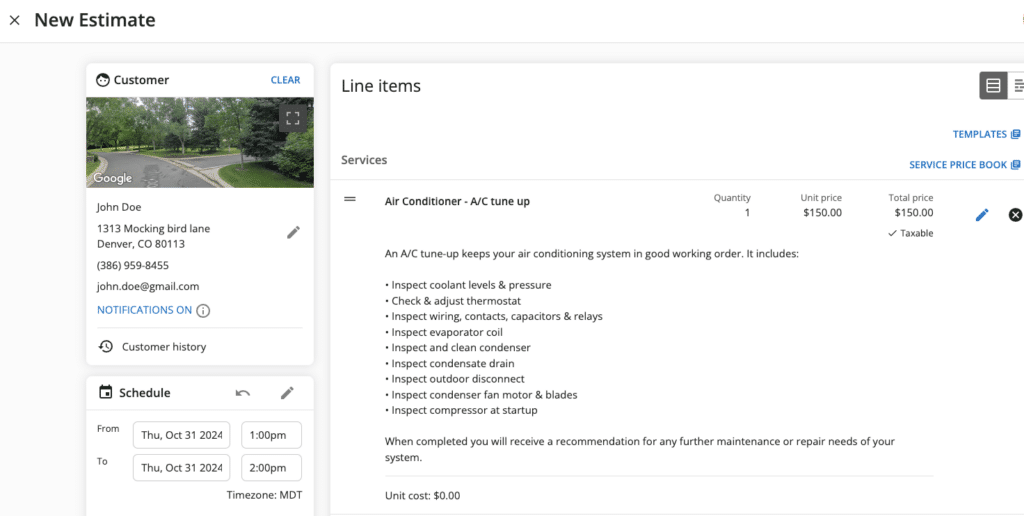
For contractors moving away from paper, spreadsheets, or separate apps, that can remove a lot of unnecessary admin. It can also make life easier for customers. PwC found that 29% of consumers had stopped buying from a company because of a poor online or in-person experience.
ServiceTitan goes further. It connects estimates and payments with memberships, payroll, commissions, call booking, reporting, and marketing attribution.
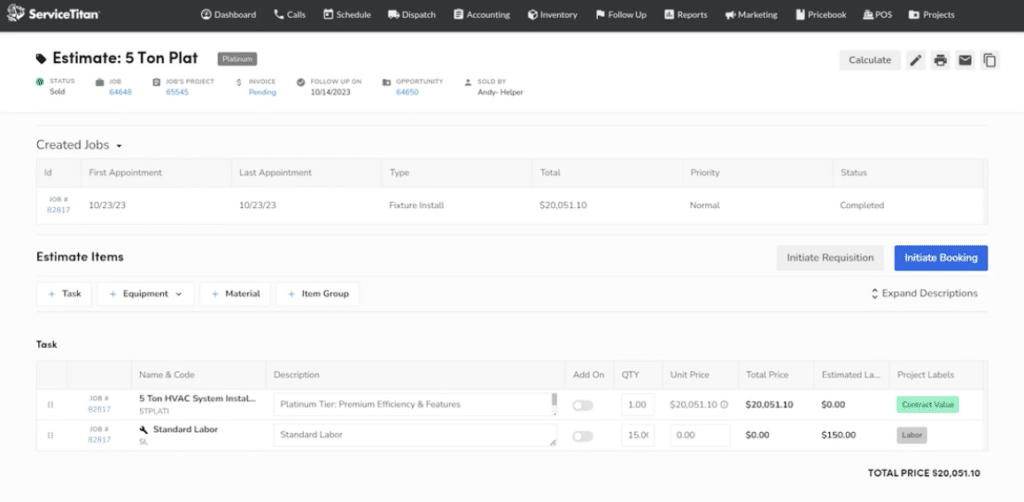
That creates more visibility for managers, but also adds more settings and steps for office staff and technicians to follow.
The difference: Housecall Pro is easier for everyday customer management. ServiceTitan is better suited to businesses that need deeper financial and operational oversight.
5. Reporting, Automation, and Scalability
Reporting is one of ServiceTitan’s strongest areas.
The platform offers advanced dashboards, payroll and commission tracking, membership management, call recording, marketing attribution, automated checklists, and detailed performance data. This gives managers a clearer view of bookings, revenue, technicians, customers, and follow-ups.
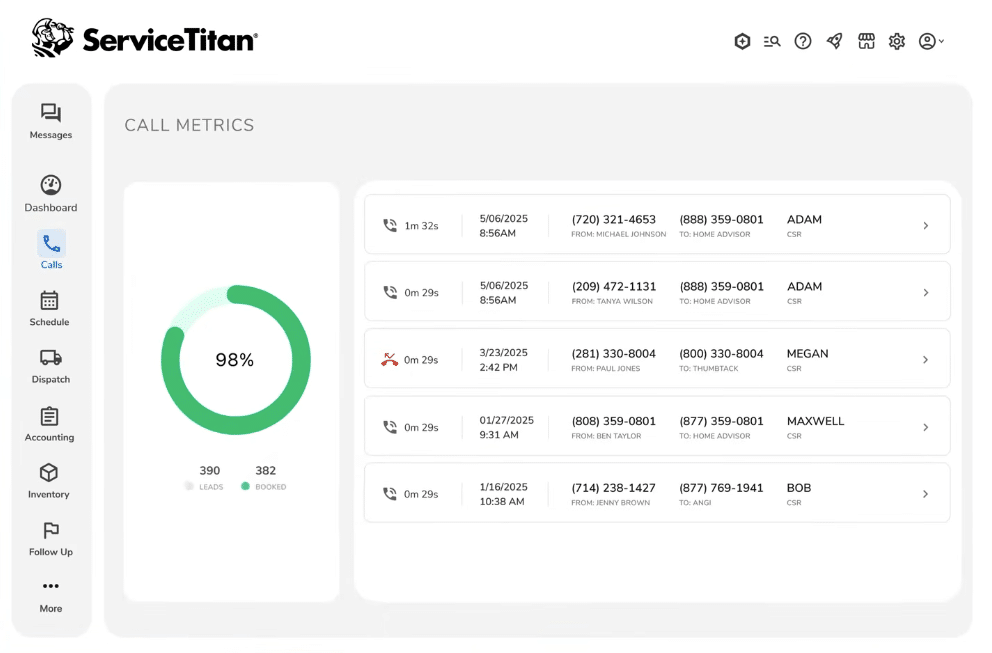
But reports are only as good as the information going into them. ServiceTitan needs careful configuration and consistent use across the team to deliver accurate insights.
Housecall Pro provides the main reports smaller contractors need, including job costing, commissions, routes, GPS tracking, and accounting data. It is easier to use, but less suited to businesses that need highly customized reporting.
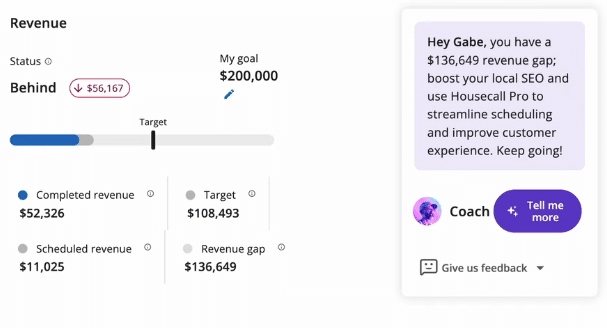
The difference: ServiceTitan offers more depth and control. Housecall Pro keeps reporting as easier to manage.
Is ServiceTitan or Housecall Pro Better for a Small HVAC Business?
Housecall Pro is the better option for most small HVAC businesses choosing only between these two platforms. It is easier to implement and provides the scheduling, estimates, invoicing, payments, and customer management tools a small team needs.
ServiceTitan becomes easier to justify when the business has complex dispatching, several departments, or advanced reporting requirements.
But those are not the only choices. Scalability also matters in an industry where the US Bureau of Labor Statistics expects HVAC employment to grow 8% between 2024 and 2034, with around 40,100 openings each year.
For growing HVAC businesses, Service Fusion’s HVAC software may offer the best balance. It provides unlimited users and a broader set of tools for dispatching, job costing, inventory, project management, and fleet operations without ServiceTitan’s enterprise-level overhead.
Where Service Fusion Fits
Growing a service business often means adding technicians, dispatchers, and office staff.
With per-user pricing, every new hire can increase your software bill. A platform that looks affordable for a small team may become much more expensive once the business reaches 10, 15, or 20 users.
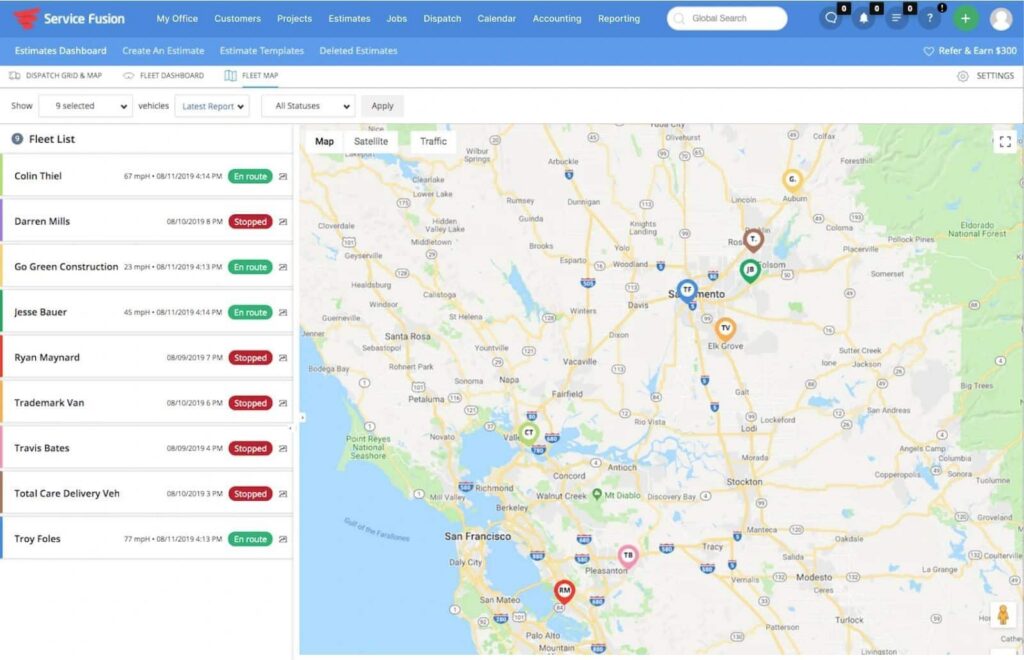
Service Fusion solves that problem with unlimited users on every plan. Starter costs $208 per month when billed annually, Plus costs $325, and Pro costs $533. Month-to-month plans are also available without a long-term contract, with personalized onboarding and support included.
The difference becomes clearer as your team grows. Housecall Pro MAX costs $299 per month when billed annually for eight users. Adding two more users increases the monthly cost to $369. Service Fusion Plus costs $325 per month and places no limit on the number of technicians or office employees you can add.
You also get more than additional user seats. Depending on the plan, Service Fusion includes scheduling and dispatching, estimates, invoicing, payments, project management, inventory, job costing, reporting, and QuickBooks integration. GPS fleet tracking is available as an add-on.
ServiceTitan vs Housecall Pro vs Service Fusion
So, which platform best fits your business?
That depends on whether you need a quick setup, maximum operational control, or a more practical way to support a growing team.
| Platform | Best for | Main advantage | Main consideration |
| ServiceTitan | Large or operationally complex contractors | Advanced reporting, automation, and business control | Higher cost and greater setup and training demands |
| Housecall Pro | Smaller service businesses with straightforward workflows | Quick implementation, and ease of use | User limits and less flexibility for specialized needs |
| Service Fusion | Growth-stage contractors adding technicians and office staff | Unlimited users and broad operational tools at a predictable price | Field teams should test key workflows during onboarding |
ServiceTitan goes deepest. Housecall Pro keeps things simple. Service Fusion sits between the two, giving growing contractors more room to expand without paying per user or moving to an enterprise-heavy platform.
Final Verdict
Look beyond the entry price.
The real cost of field service software includes additional users, higher plans, add-ons, implementation, training, and the time employees spend managing the system.
Housecall Pro can provide strong value for businesses with relatively simple needs. ServiceTitan can justify its larger investment when a contractor actively uses its advanced controls.
For growing service businesses, Service Fusion offers the strongest overall balance of functionality, scalability, and predictable pricing. Its unlimited-user plans make future costs easier to forecast as the business hires more people.
The right choice should still work when the company is busier, larger, and more complex than it is today.
See How Air Doctors Grew Revenue 6x
Air Doctors used Service Fusion to improve job costing, standardize pricing, and create more professional customer documents.
View the Air Doctors Case Study
Frequently Asked Questions
Is ServiceTitan better for commercial contractors than Housecall Pro?
ServiceTitan is generally better equipped for contractors managing commercial work, multiple departments, longer projects, or more complex billing and reporting requirements. Housecall Pro is primarily designed around straightforward residential and home service workflows.
Can you switch from Housecall Pro to ServiceTitan?
Yes, but migration can involve transferring customer records, job histories, pricebooks, invoices, memberships, and accounting data. Before switching, ask providers which information they can migrate, what needs to be reformatted, and how long the transition will take.
Can Housecall Pro handle multiple locations?
Housecall Pro can support businesses operating across several service areas, but companies with separate divisions, reporting structures, permissions, and highly complex dispatch requirements may find ServiceTitan more suitable.
What alternatives are there to ServiceTitan and Housecall Pro?
Alternatives include Service Fusion, Jobber, FieldPulse, FieldEdge, Workiz, and ServiceTrade. For growth-stage contractors, Service Fusion stands out for its unlimited-user pricing and broader operational tools without enterprise-heavy implementation.
Grow Your Team Without Growing Your Software Bill
Service Fusion includes unlimited users, so you can add technicians and office staff without paying for an additional seat each time you hire.
Book a free demo to see how the platform could support your team, jobs, customers, and day-to-day operations.
Schedule a Free Service Fusion Demo
Article Sources
- McKinsey & Company, Unlocking Success in Digital Transformations, October 29, 2018.
- PwC, The Loyalty Illusion: PwC 2025 Customer Experience Survey, September 29, 2025.
- US Bureau of Labor Statistics, Heating, Air Conditioning, and Refrigeration Mechanics and Installers, August 28, 2025.
Related Posts
Must-Have Tools for HVAC Technicians
Continue ReadingHow Kuhlman Electric Found Their Field Service ‘Game Changer’ and Doubled Revenue
Continue ReadingStay Informed
Get the latest news and insights plus, Service Fusion offers and updates.Thank you for your submission.
SHARE