


Comparing Jobber vs ServiceTitan can be difficult because both platforms cover many of the same field service basics.
The bigger differences show up in how much they cost, how easy they are to manage, and how much control they give you as your business becomes more complex.
Choose too little, and you may need to switch later. Choose too much, and you could end up paying for features your team barely uses.
This guide looks at where each platform fits best so you can make a more informed choice.
What Is the Difference Between ServiceTitan and Jobber?
Jobber is easier to adopt, with published pricing and straightforward tools for scheduling, quoting, invoicing, payments, and customer management.
ServiceTitan offers more depth for businesses that need advanced dispatching, inventory, job costing, and reporting.
Service Fusion sits between the two, with broader operational tools than Jobber and less complexity than ServiceTitan.
Jobber vs ServiceTitan at a Glance
| Category | Jobber | ServiceTitan |
| Best For | Small and mid-sized field service businesses | Larger contractors with more complex operations |
| Pricing | Published plans based on features and team size | Custom pricing based on technicians and package requirements |
| Setup | Faster, more self-directed setup | More structured implementation and configuration |
| Scheduling and Dispatch | Straightforward scheduling, mapping, and route optimization | Advanced dispatching with more automation and control |
| Estimates and Payments | Simple quoting, deposits, invoicing, and online payments | More advanced pricing, estimating, and payment workflows |
| Job Costing | Profit, margin, labor, and expense tracking on higher plans | More detailed costing across labor, materials, equipment, and projects |
| Inventory and Purchasing | More limited inventory capabilities | Broader inventory, purchasing, warehouse, and truck-stock tools |
| Reporting | Strong everyday business and financial reporting | Detailed operational, technician, marketing, and performance reporting |
| Main Strength | Ease of use and straightforward day-to-day management | Operational depth and visibility across a complex business |
| Main Drawback | May become limiting as operational needs become more complex | Higher cost, longer setup, and greater complexity. |
What Is Jobber?
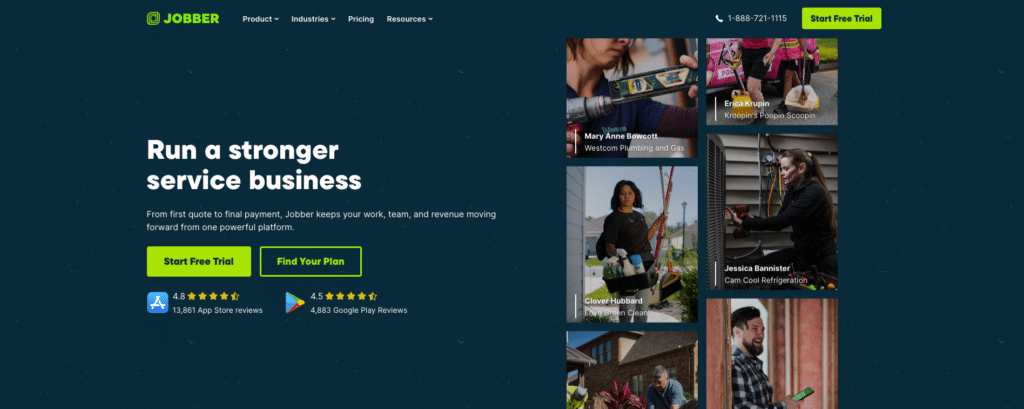
Jobber is field service management software that covers the workflow from a new customer request through to payment.
Its core tools include customer management, scheduling, quoting, job management, invoicing, payments, and communication. Client Hub also lets customers approve quotes, check appointments, request work, view invoices, and pay online.
Higher plans add features such as route optimization, appointment availability, and job costing.
Jobber covers many of the day-to-day needs of a field service business. However, businesses that need more advanced inventory, purchasing, dispatch, or reporting tools may require a broader system.
Related: Service Fusion vs. Jobber: Full Comparison
What Is ServiceTitan?
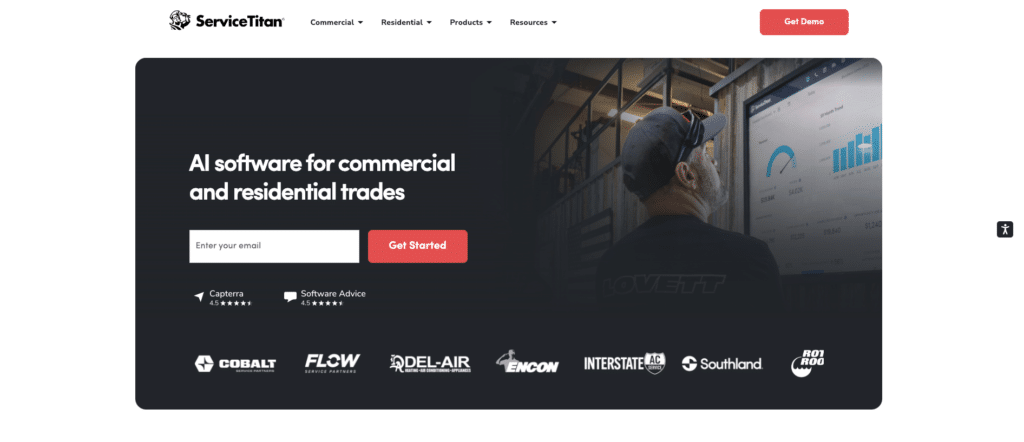
ServiceTitan is field service management software built for businesses with more complex operational needs.
Its platform covers scheduling, dispatching, call booking, invoicing, estimates, pricebooks, payroll, reporting, commissions, memberships, and more, depending on the package.
It also goes deeper into areas such as job costing, inventory, purchasing, and dispatch. Businesses can track labor, materials, equipment, stock across trucks and warehouses, and technician assignments in greater detail.
That broader scope can be useful for larger operations, but it also introduces more complexity than every service business will need.
Related: Service Fusion vs. ServiceTitan: Full Comparison
Jobber vs ServiceTitan: 5 Key Differences
Both platforms cover the core field service workflow. The real decision comes down to how they handle pricing, ease of use, dispatching, job management, reporting, and growth.
1. Pricing and Contracts
Jobber publishes its monthly prices by plan and team size. Core costs $49 for one user. Connect ranges from $139 for one user to $399 for 15 users, while Grow ranges from $199 to $499. Plus starts at $499 for five users and goes up to $699 for 15 users.
ServiceTitan does not publish fixed monthly prices. Its Starter, Essentials, and The Works packages use custom per-technician pricing, so you need to request a quote.
That makes Jobber easier to budget for upfront. ServiceTitan may offer better value if its broader operational tools replace other systems or solve more complex problems.
The difference: Jobber gives you more cost certainty before you buy, while ServiceTitan requires a sales conversation to know what you’ll pay.
2. Ease of Use and Implementation
Jobber is straightforward to set up because it focuses on the core processes most field service businesses use every day.
Businesses can trial the software before subscribing and start configuring customers, jobs, schedules, quotes, invoices, and team access without first mapping every part of the operation.
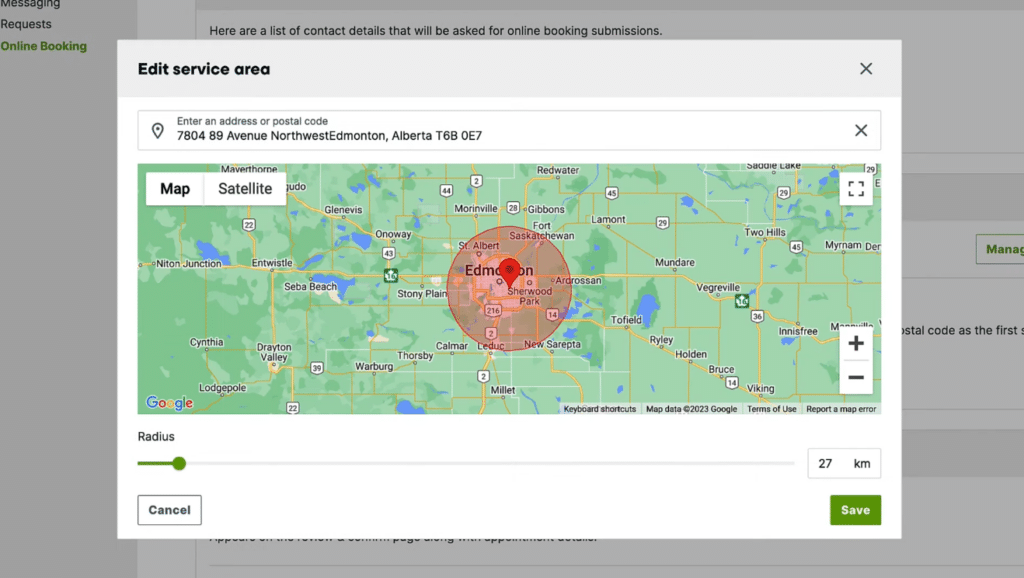
ServiceTitan can require more setup because more operational processes sit inside the platform. Businesses may need to configure technician skills, business units, pricebooks, payroll, inventory, memberships, reporting, and dispatch settings.
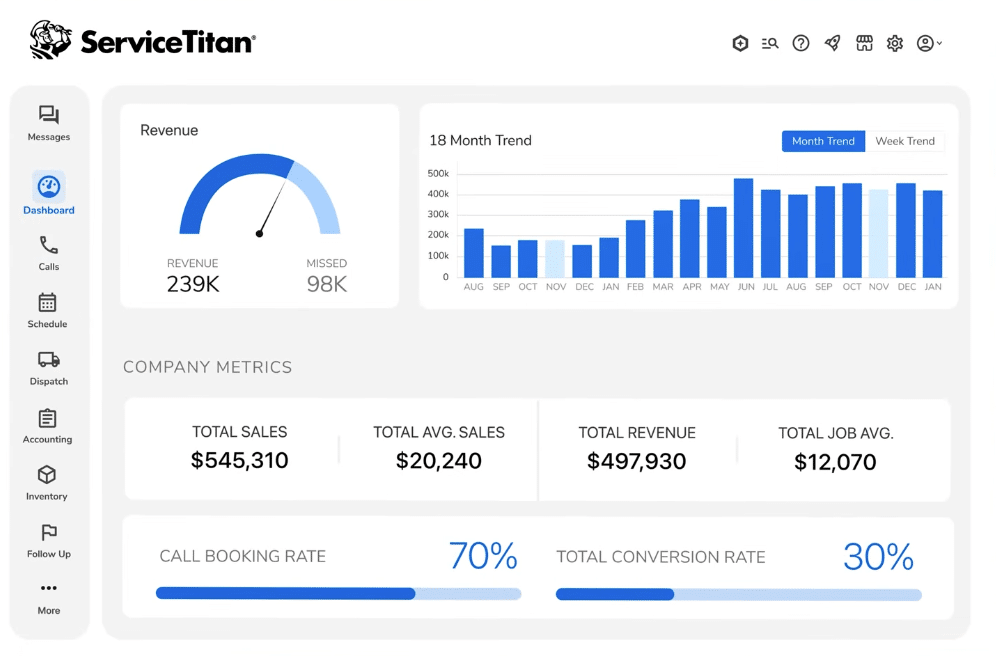
That additional configuration can make sense for businesses with multiple teams, service lines, or managers who need consistent processes across the company.
For a smaller operation, it may mean spending more time setting up functionality that the business does not yet need.
The difference: Jobber suits businesses that want to get running quickly, while ServiceTitan makes more sense when the extra setup supports genuinely complex processes.
3. Scheduling, Dispatching, and Mobile Tools
Scheduling is easy when everything goes to plan. Field service rarely works like that.
A customer cancels. An emergency job comes in. One technician finishes early while another gets stuck across town.
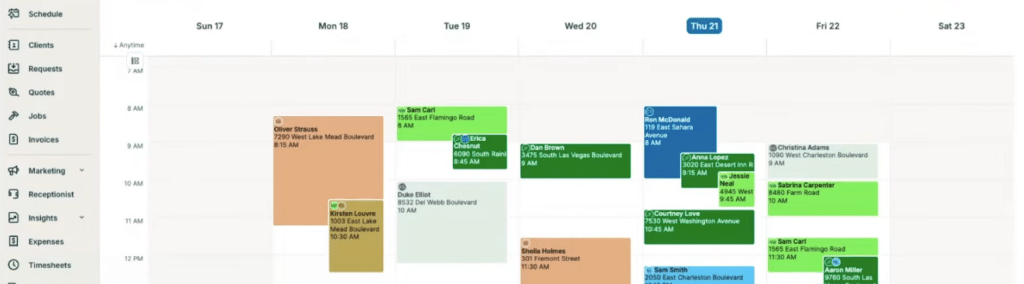
Jobber gives dispatchers the tools to deal with those changes, including scheduling views, team availability, mapping, and route optimization. Routes can be updated as the schedule shifts, which may be all a smaller team needs.
ServiceTitan adds another layer. Dispatch Pro can recommend who should take a job based on technician skills, location, drive time, and performance data rather than leaving every decision to the dispatcher.
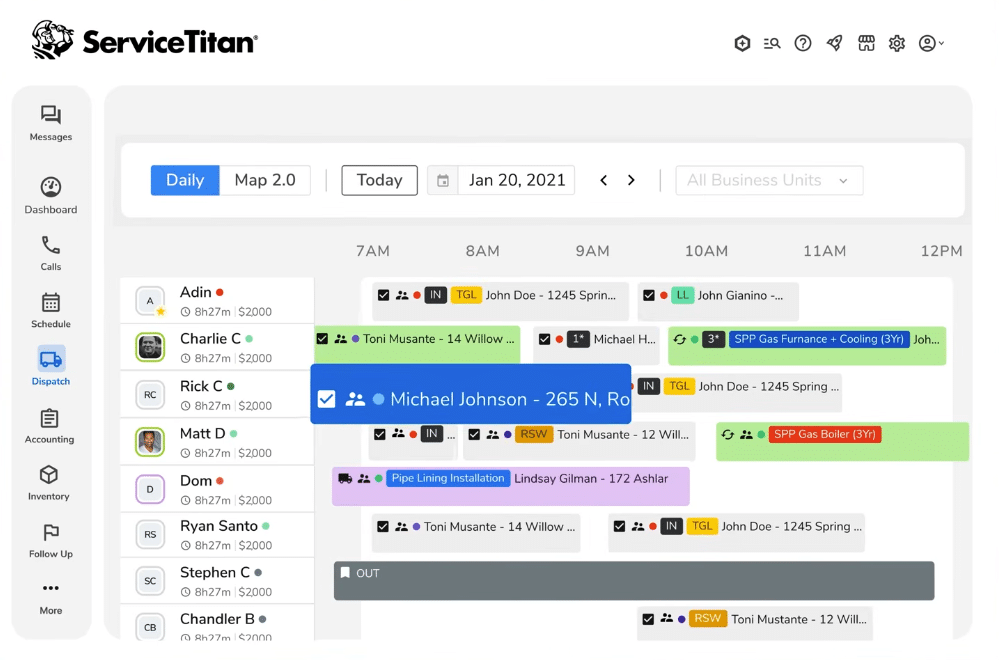
That becomes more valuable as the number of technicians, service areas, and job types grows. For a smaller operation, the extra dispatch logic may be more than is necessary.
The difference: The more technicians, territories, and job types you manage, the stronger ServiceTitan’s dispatching advantage becomes.
4. Estimates, Invoicing, Payments, and Customer Management
Both platforms can manage the full path from quote to payment, but ServiceTitan offers more control over how pricing is built.
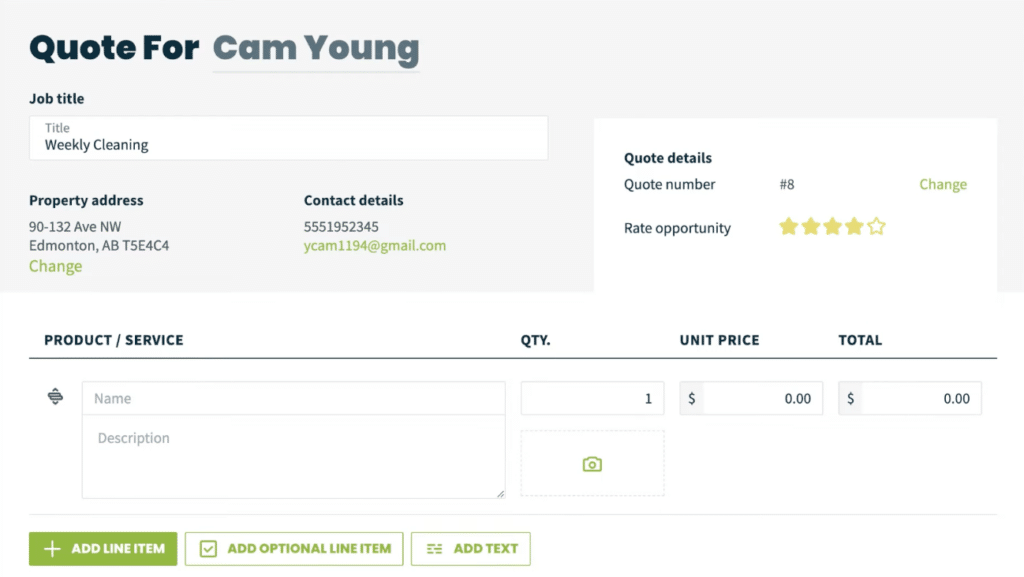
Jobber lets customers approve quotes, pay deposits, and pay invoices online. It also supports payment schedules and progress invoicing for longer jobs.
Payments are already a common headache for small businesses. Federal Reserve research found that roughly four of every five small firms face payment-related challenges.
ServiceTitan connects estimating more closely with the rest of the operation. Its Pricebook can bring services, materials, equipment, purchasing, and invoicing into the same pricing structure, while more advanced rules can account for different customers and types of work.
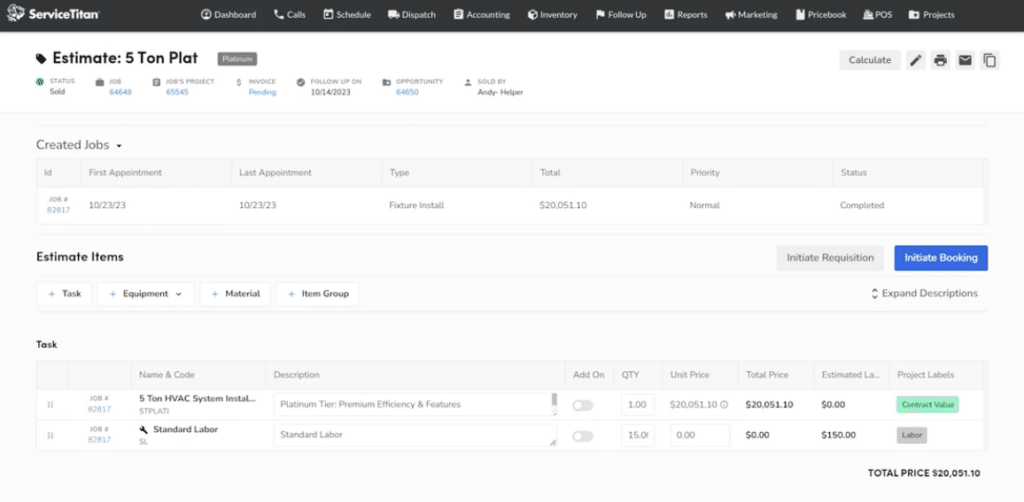
The practical difference is how complex your pricing needs to be. Jobber handles the core billing workflow well. ServiceTitan becomes more relevant when pricing itself needs tighter control across multiple services, materials, rates, or customer types.
The difference: Jobber should cover most straightforward service pricing needs, while ServiceTitan becomes more useful as pricing rules get harder to manage.
5. Job Costing, Inventory, Reporting, and Scalability
Jobber gives businesses a solid view of job profitability and overall performance.
On Grow and Plus, you can track profit, margin, labor, expenses, and line-item costs. Its Insights Dashboard also covers metrics like revenue trends, receivables, recurring revenue, and team productivity.
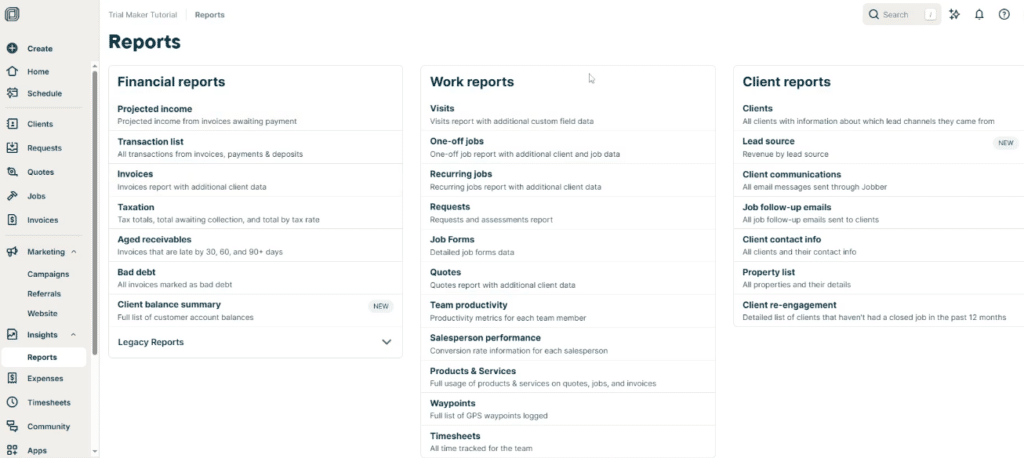
That visibility matters when costs are under pressure. Federal Reserve research found that 75% of employer firms cited rising costs as a financial challenge, while 51% reported uneven cash flow.
ServiceTitan goes deeper. Job costing can include materials, equipment, labor, and other expenses, while inventory, purchasing, payroll, and project workflows connect into the same system.
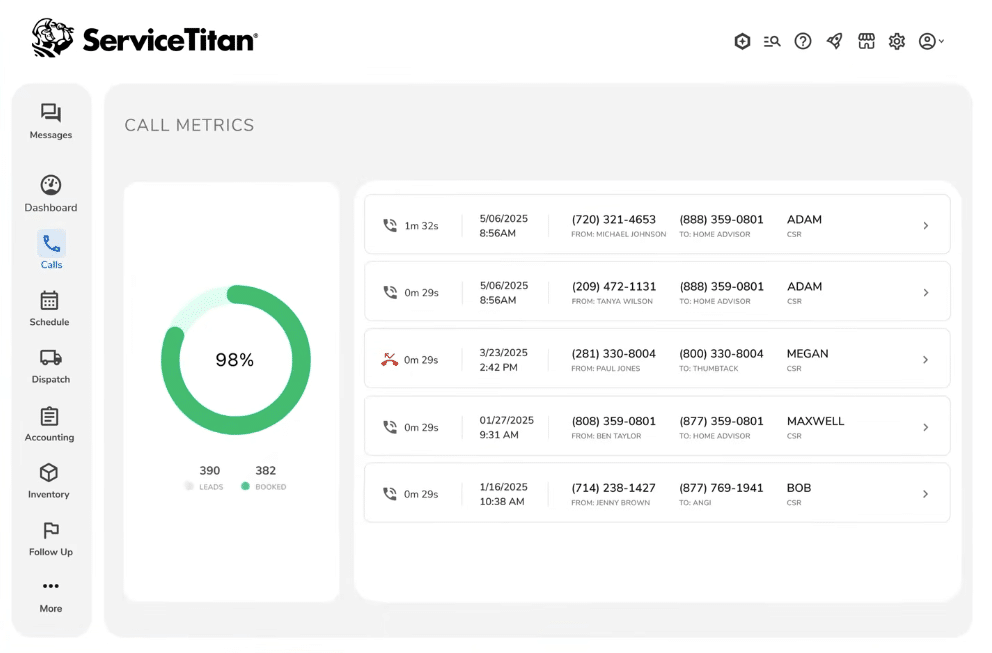
Businesses can also track stock across trucks and warehouses, manage purchase orders and replenishment, and break reporting down by teams, technicians, business units, and locations.
The difference: Jobber offers enough visibility for many smaller businesses, while ServiceTitan has the advantage once inventory, purchasing, and more detailed operational reporting become important.
What If Jobber Is Too Simple but ServiceTitan Is Too Much?
That is where the choice gets harder.
Jobber covers a lot of what smaller service businesses need, but growing teams may eventually want more control over dispatching, job costing, inventory, projects, and other day-to-day operations.
ServiceTitan provides that extra depth, but not every growing contractor needs its level of setup, customization, or complexity.
That need to plan for growth is not theoretical. The Bureau of Labor Statistics projects around 608,100 job openings each year across installation, maintenance, and repair occupations between 2024 and 2034.
For businesses that sit somewhere between the two, it may make sense to look at an alternative that offers more room to grow without going all the way to an enterprise-heavy platform.
Where Service Fusion Fits
Service Fusion offers a middle ground between Jobber’s simpler setup and ServiceTitan’s deeper operational tools.
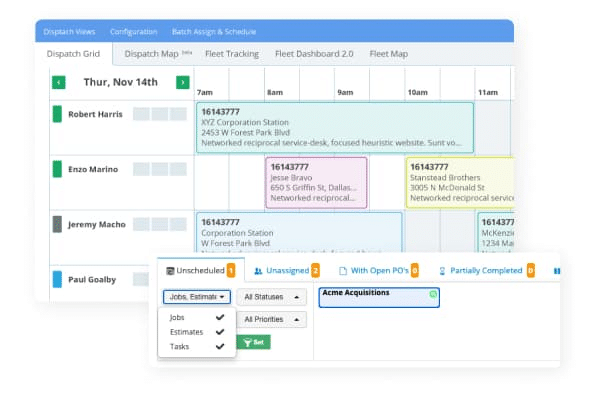
Every plan includes unlimited users, which becomes useful as the business adds technicians, dispatchers, estimators, and office staff. Its scheduling and dispatching tools also give teams a central place to assign jobs, adjust schedules, and keep field staff updated.
Service Fusion pricing starts at $208 per month for Starter when billed annually, followed by $325 for Plus and $533 for Pro. Month-to-month plans are also available without a contract.
The comparison becomes more interesting as the team grows. Jobber Grow costs $399 per month at its standard annual price for up to 15 users, while Service Fusion Plus costs $325 per month and has no user limit.
Plus, it also includes inventory management and job costing alongside scheduling, dispatching, project management, invoicing, payments, reporting, and customer management.
Jobber vs ServiceTitan vs Service Fusion
The best choice depends less on company size and more on how complicated your operation has become.
| Platform | Best for | Main advantage | Main consideration |
| Jobber | Small and midsize service businesses with straightforward workflows | Easier setup and strong everyday FSM tools | May become limiting as inventory, dispatching, and reporting needs grow |
| ServiceTitan | Larger or operationally complex service businesses | Advanced control across field and back-office operations | Higher cost, more setup, and greater complexity |
| Service Fusion | Growing service businesses adding technicians and office staff | Unlimited users and broad operational tools | Some highly complex requirements may still suit a more enterprise-heavy platform |
Jobber keeps things simpler. ServiceTitan goes deepest. Service Fusion sits between the two, giving growing service businesses more operational depth without requiring the same level of complexity as ServiceTitan.
Final Verdict
Choosing field service software is a balance.
Jobber keeps things simpler, which can work well for smaller teams. ServiceTitan gives businesses more control, but that extra depth also means more setup and more software to manage.
Service Fusion offers another option for businesses that sit somewhere between the two. It gives growing teams more tools for running the operation, while unlimited users make it easier to add technicians and office staff without increasing seat costs.
The right platform should work for your business and continue to make sense as the team grows.
See How Anderson Plumbing Grew Revenue 12x
Anderson Plumbing added 12 technicians without incurring additional software user fees and created 2,865 new jobs through Service Fusion.
View the Anderson Plumbing Case Study
Frequently Asked Questions
Can you switch from Jobber to ServiceTitan?
Yes. You can switch from Jobber to ServiceTitan, but the amount of work depends on the data and workflows you need to move.
Before switching, check how customer records, job history, invoices, pricebooks, and other important data will be transferred. It is also worth comparing alternatives such as Service Fusion before committing to a more complex platform.
Is Jobber or ServiceTitan better for commercial contractors?
ServiceTitan is generally better suited to commercial contractors with complex pricing, multiple teams, longer projects, or detailed reporting needs.
Jobber can work for commercial businesses with simpler workflows. Service Fusion is another option for contractors that need project management and broader operational tools without moving to a more enterprise-heavy system.
Do Jobber and ServiceTitan have mobile apps?
Yes. Both Jobber and ServiceTitan offer mobile apps for field technicians.
Technicians can access job details, update work from the field, communicate with the office, and complete common job tasks without returning to a desktop.
Service Fusion also has a field service mobile app for technicians, featuring job details, customer information, photos, payments, and offline access.
Do Jobber and ServiceTitan support recurring service work?
Yes. Both Jobber and ServiceTitan support recurring service work, making them suitable for maintenance contracts and repeat customer visits.
Service Fusion also supports recurring jobs and can be worth considering when those repeat workflows need to sit alongside a wider set of dispatching and operational tools.
What are the best alternatives to Jobber and ServiceTitan?
Service Fusion is one of the main alternatives to Jobber and ServiceTitan for growing service businesses.
It offers scheduling, dispatching, invoicing, payments, job costing, inventory, project management, and reporting, with unlimited users on every plan. That can make it a useful middle ground between simpler FSM software and a more complex enterprise platform.
See What Service Fusion Can Do for Your Team
More technicians, dispatchers, and office staff should mean more capacity.
With unlimited users on every plan, Service Fusion lets you grow the team without adding another seat cost each time. You also get the core tools to schedule work, manage customers, send invoices, take payments, and keep jobs moving.
See how Service Fusion could fit the way your business works.
Schedule a Free Service Fusion Demo
Article Sources
- Federal Reserve Banks, 2024 Report on Payments: Findings from the 2023 Small Business Credit Survey, December 5, 2024.
- Federal Reserve Banks, 2025 Report on Employer Firms: Findings from the 2024 Small Business Credit Survey, March 27, 2025.
- U.S. Bureau of Labor Statistics, Installation, Maintenance, and Repair Occupations. August 28, 2025
Related Posts
Field Service Software Data Migration Checklist
Continue ReadingBest Field Service Apps for Technicians in 2026
Continue ReadingStay Informed
Get the latest news and insights plus, Service Fusion offers and updates.Thank you for your submission.
SHARE