


A shared calendar can work when you have five technicians.
Then the team grows.
One job runs late. Another needs to be reassigned. A technician needs customer history. The dispatcher needs an update. The office is trying to work out whether an invoice has been sent.
At 10, 15, or 20 technicians, keeping everyone on the same page becomes a much bigger job.
The right field service software helps bring those moving parts together.
We compared the leading platforms for 5–20 technician businesses based on pricing as the team grows, scheduling and dispatch, technician mobile workflows, QuickBooks integration, and the tools needed to keep the office and field connected.
What Is the Best Field Service Management Software for a Business with 5 to 20 Technicians?
Service Fusion is the best field service management software for growing service businesses with 5 to 20 technicians.
It brings scheduling, dispatch, customer records, estimates, invoices, payments, and QuickBooks integration into one system, helping office and field teams work from the same job information.
Its unlimited-user pricing is another benefit as your team grows. Adding another technician, dispatcher, estimator, manager, or office employee does not increase the number of software seats on the monthly bill.
Other platforms may fit different priorities. Jobber is a good option for teams that want straightforward service workflows, while FieldPulse stands out for more configurable processes and broader offline capabilities.
Best Field Service Software for 5–20 Technicians at a Glance
| Software | Best For | Starting Price | Pricing Model | Main Strength |
| Service Fusion | Growing service businesses | $208/month billed annually | Unlimited users | Connected office and field workflows |
| Jobber | Simple service workflows | $29/month billed annually for one user | Tiered plans | Easy scheduling and customer management |
| FieldPulse | Flexible operations | Custom quote | Seat-based pricing | Configurable workflows and offline work |
| Housecall Pro | Residential service teams | $59/month billed annually for one user | Tiered plans | Customer communication and payments |
| ServiceTitan | Complex contractor operations | Custom quote | Custom pricing | Deeper operational capabilities. |
What Changes When Your Service Business Grows Past a Few Technicians?
A five-technician business can still run on a lot of shared knowledge.
Someone in the office knows who is finishing early. The owner remembers which customer called back. A quick text can move a job from one technician to another.
As the team grows, that becomes harder to maintain.
More jobs are moving at once. More people are handing information back and forth. And fewer employees have the full picture in their heads.
Those are common technology pain points. In the Associated General Contractors of America’s 2025 industry outlook, 32% of contractors cited communication between the field and office as an IT challenge, while 28% cited integration between the software used inside the business.
Dispatch Stops Living in One Person’s Head
With a small crew, you may know where everyone is without checking a system.
At 10 or 20 technicians, that becomes much harder.
Dispatchers need to see who is available, where technicians are scheduled, which jobs are running late, and what still needs attention.
If that information is split between phone calls, texts, and spreadsheets, every schedule change takes more work.
That kind of friction adds up. Salesforce’s 2025 field service research found that 47% of appointments did not go as scheduled, while technicians estimated that more than seven hours of a 40-hour week were lost to low-value administrative tasks.
Field service software gives the team one place to see what is happening and decide what happens next.
More People Need the Same Job Information
Growth usually means adding more than technicians.
Dispatchers, estimators, service managers, CSRs, and office staff may all need access to the same customer and job records.
As more people rely on the software, user limits and pricing models become a bigger part of the buying decision. Information also needs to stay consistent as a job moves from one person to another.
A platform that works well for five users can look very different when 15 or 20 people need access every day.
Technicians Need Enough Information to Keep the Job Moving
As the team grows, technicians cannot rely on calling the same person in the office every time they need an answer.
They may need customer history, equipment records, previous job notes, photos, estimates, invoices, and payment information before they can finish the work.
The more of that information they can access from the job record, the fewer calls and manual handoffs the office has to manage.
Every missing detail creates another interruption for the technician and another task for someone back at the office.
The Best Field Service Software for Businesses with 5 to 20 Technicians
Here’s how the five platforms compare for growing service teams.
1. Service Fusion: Best Overall for Growing Service Businesses
Starting price: $208/month billed annually
Free option: Free personalized demo
Best for: Service businesses adding technicians and office staff who want to keep jobs connected from scheduling through payment.
A customer calls. Someone creates the estimate. Dispatch schedules the job. A technician completes the work. The office sends the invoice. Accounting needs the payment to be recorded correctly.
Service Fusion keeps those stages connected rather than having each team manage its own version of the job.
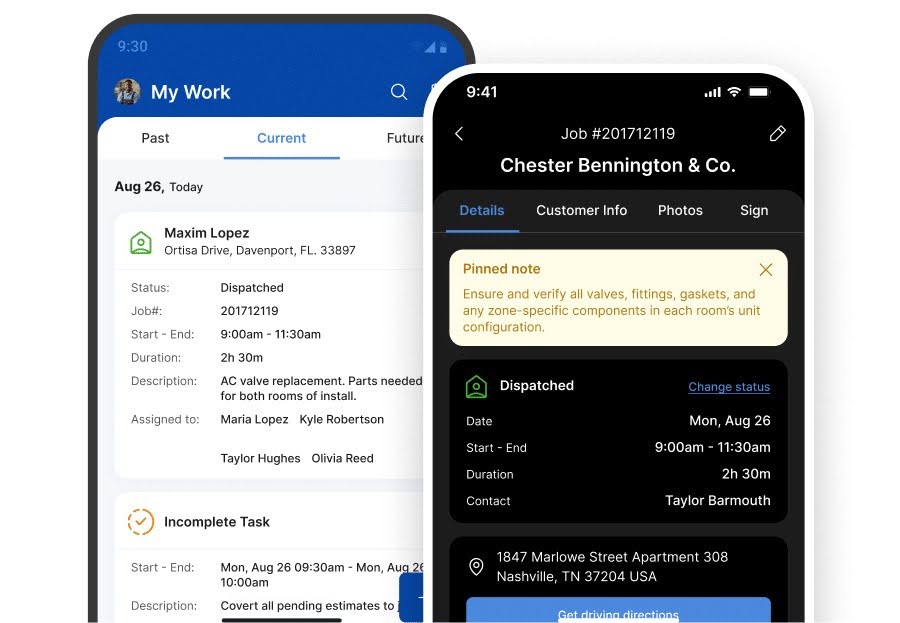
Technicians can access customer and equipment records, notes, estimates, invoices, and other job information from the field. Office staff can see updates without waiting for a phone call or re-entering the same details somewhere else.
Every Service Fusion plan also includes unlimited users. A business can add technicians, dispatchers, estimators, managers, and office employees without having to pay for another software seat each time.
Service Fusion Pros and Cons
| Pros | Cons |
| Unlimited usersOffice and field updates stay connected to the same records.Supports QuickBooks Online and DesktopEstimates, invoices, payments, and technician workflows in one platform. | Some growing teams may need Plus for additional operational tools.Starter has several optional add-onsOffline Mode does not cover every field action.The starting subscription is higher than some entry-level plans. |
Service Fusion Pricing
Starter costs $208/month billed annually, with Plus at $325/month and Pro at $533/month.
All three plans include unlimited users.
Starter covers the core field service platform, while capabilities such as job costing, inventory management, and job photo uploads require an add-on or a higher plan.
Bottom Line: Service Fusion is a strong fit when growth means adding more people to both sides of the business and you want them working from the same system.
Related: Introducing Service Fusion’s Offline Mode
2. Jobber: Best for Straightforward Service Workflows
Starting price: $29/month billed annually for one user
Free option: 14-day free trial
Best for: Growing service businesses that want straightforward scheduling, customer management, quoting, invoicing, and payments.
Jobber keeps the core service workflow relatively easy to follow.
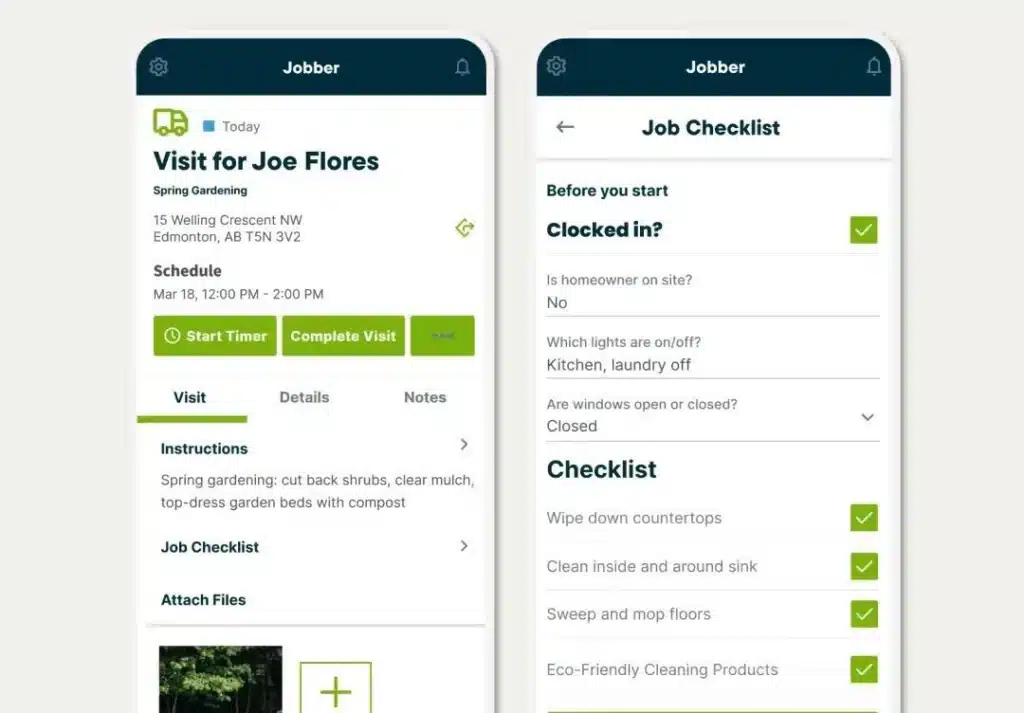
Office teams can schedule work, manage customer records, send quotes and invoices, and collect payments, while technicians use the mobile app to view assigned work, customer details, notes, and other job information.
For a business with 5 to 20 technicians, the main consideration is how pricing changes as more people need access. Jobber uses plan and user-count tiers rather than unlimited-user pricing.
Jobber also integrates with QuickBooks Online, but it does not offer continuous syncing with QuickBooks Desktop.
Jobber Pros and Cons
| Pros | Cons |
| Straightforward scheduling and customer workflowsMobile access to jobs and customer informationQuotes, invoices, and payments in one systemSelected tasks work offline. | Pricing increases as more users are addedTeams with 16+ users need custom pricingQuickBooks integration is Online onlyOffline functionality is more limited than some competitors. |
Jobber Pricing
Core starts at $29/month billed annually for one user.
Growing teams will usually need a higher plan and should compare pricing at their expected headcount rather than focusing on the single-user starting price.
Connect, for example, costs:
$149/month billed annually for up to 5 users
$229/month for up to 10 users
$299/month for up to 15 users.
Bottom Line: Choose Jobber when you want a straightforward field service workflow and are comfortable with pricing that changes as more people need access.
Related: Jobber vs. FieldPulse: Which Is Better for Field Service Teams?
3. FieldPulse: Best for Flexible Workflow
Starting price: Custom quote
Free option: Free demo
Best for: Growing service businesses that need different workflows for different job types or regularly work with poor connectivity.
FieldPulse gives businesses more control over how work moves from one stage to the next.
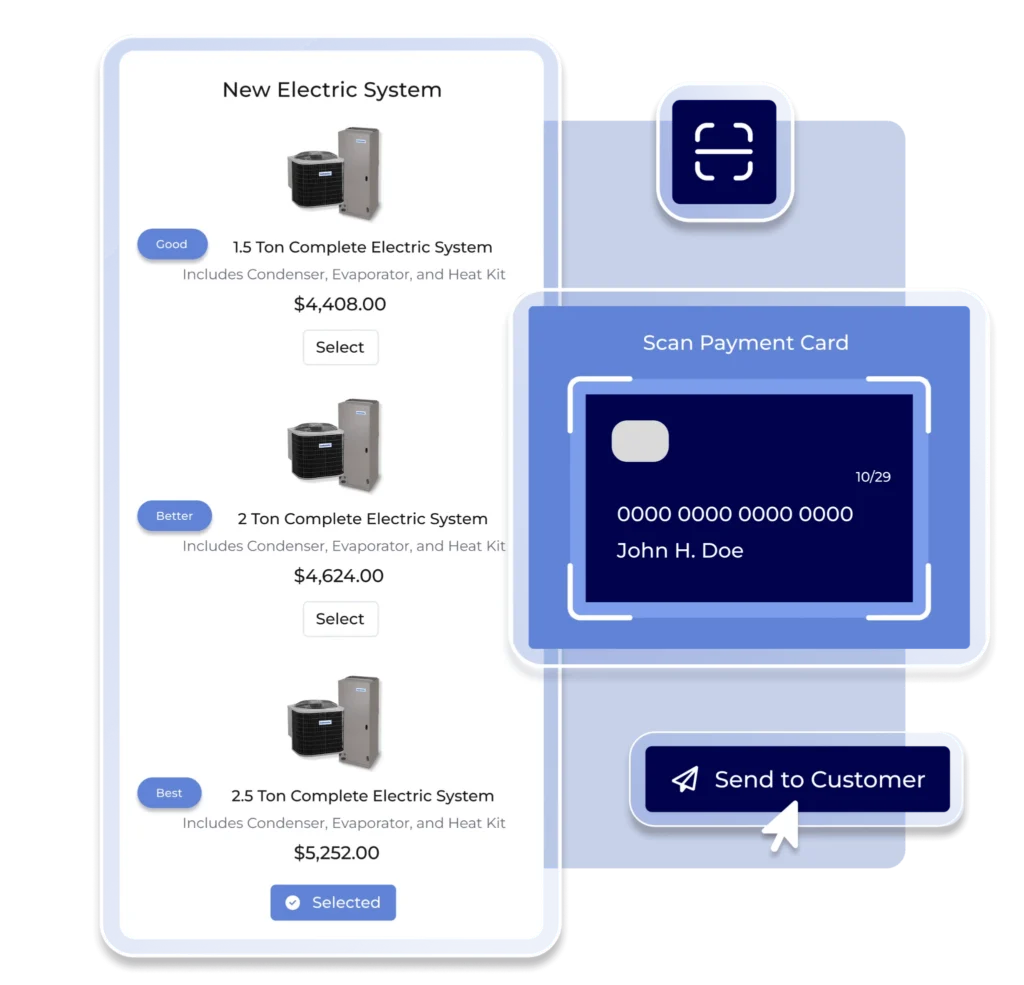
Its ClearPath feature can create different processes for repairs, installations, maintenance, and other types of work. Businesses can set required forms, photos, notes, and actions at different stages, helping technicians follow a consistent process as the team grows.
FieldPulse also has one of the broader offline workflows in this comparison.
Technicians can access cached job and customer information, add notes and photos, update job statuses, complete forms, track time and materials, draft estimates, edit invoices, and capture signatures without a connection. Changes sync when the device reconnects.
It also supports both QuickBooks Online and QuickBooks Desktop.
FieldPulse Pros and Cons
| Pros | Cons |
| Configurable workflows for different job typesBroad offline functionalityQuickBooks Online and Desktop supportJob, asset, and mobile documentation tools. | No public pricingSeat-based costs can rise as the team growsMore configuration may be unnecessary for simple workflowsFinal cost requires a custom quote. |
FieldPulse Pricing
FieldPulse does not publish standard subscription prices.
Pricing is custom and seat-based, with the final cost depending on the number and type of users and the capabilities they need.
For a business growing from five technicians to 20, it is worth requesting pricing based on the team you expect to have, not just the users who need access today.
Bottom Line: Choose FieldPulse when you need to standardize different types of work across a growing team or technicians regularly need to keep working without a reliable connection.
4. Housecall Pro: Best for Residential Service Teams
Starting price: $59/month billed annually for one user
Free option: 14-day free trial
Best for: Residential service businesses that want customer communication, estimating, invoicing, and payments built into the field service workflow.
Housecall Pro is designed around the way home service businesses manage work with customers before, during, and after a visit.
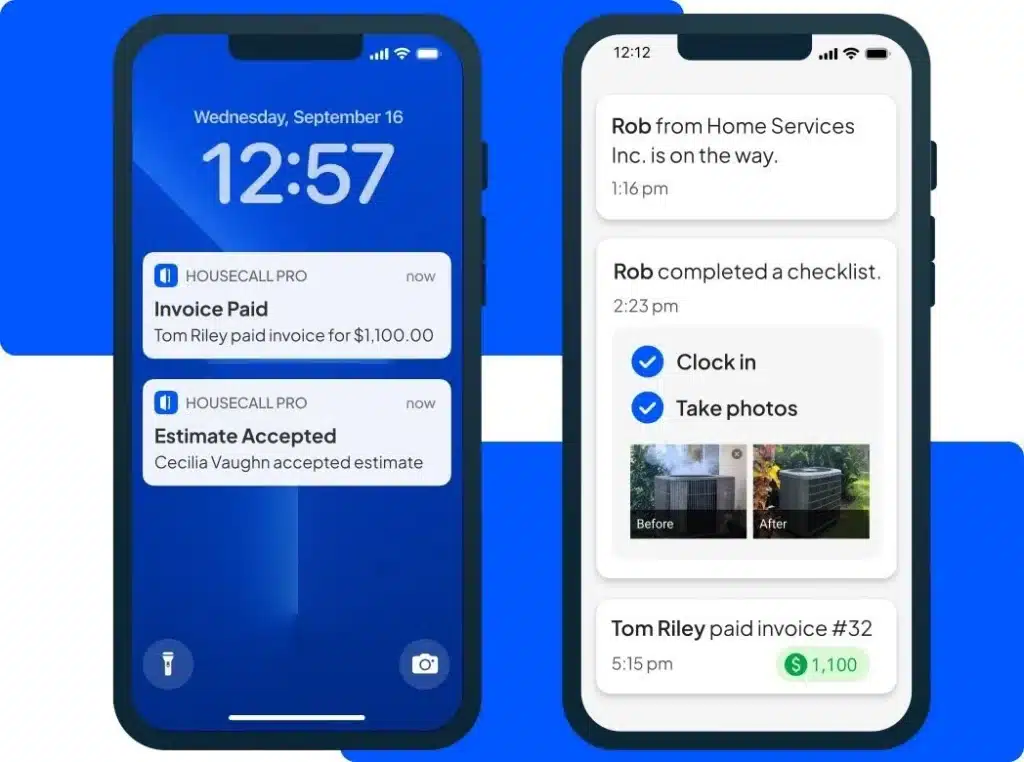
Teams can handle scheduling and dispatch, send estimates and invoices, collect payments, provide customer updates, and accept online bookings from the same platform. Technicians can also access job and customer information from the mobile app.
For a growing team, the main consideration is user pricing. Housecall Pro includes a set number of users on each plan, with additional-user charges once a team grows beyond the MAX allowance.
Housecall Pro also supports QuickBooks Online and QuickBooks Desktop. QuickBooks Online integration requires Essentials or MAX.
Housecall Pro Pros and Cons
| Pros | Cons |
| Strong residential and home service workflowBuilt-in customer communication and online bookingEstimates, invoices, and payments in one platformQuickBooks Online and Desktop support. | Costs rise quickly beyond the included user limitsMAX includes only eight users before additional-user fees applyOffline editing is not currently supportedQuickBooks Online requires Essentials or MAX. |
Housecall Pro Pricing
Standard annual pricing starts at:
Basic: $59/month for 1 user
Essentials: $149/month for up to 5 users
MAX: $299/month for up to 8 users.
Additional MAX users cost $75/month each.
That makes the advertised $59 starting price less useful for a business already managing several technicians and office employees.
Bottom Line: Choose Housecall Pro when residential customer workflows are a priority, and you are comfortable with a pricing model that increases in cost as the number of users grows.
Related: ServiceTitan vs. Housecall Pro: Which Is Best for Contractors?
5. ServiceTitan: Best for More Complex Contractor Operations
Starting price: Custom quote
Free option: Free demo
Best for: Contractors that need deeper operational tools across dispatch, field workflows, reporting, and financial management.
ServiceTitan goes beyond the core schedule-dispatch-invoice workflow.
Depending on the package, businesses can manage call booking, dispatch, mobile estimates, payroll, reporting, commissions, memberships, and other operational processes on a single platform. That gives managers more ways to track what is happening across a growing service operation rather than relying on separate systems for different parts of the business.
The field app is also one of the stronger options for technicians working without reliable connectivity.
Job status updates, time tracking, notes, photos, signatures, and most estimate workflows can continue offline and sync when the device reconnects. Some functions, including purchase orders, financing, contracts, and live inventory availability, still need a connection.
ServiceTitan also integrates with both QuickBooks Online and QuickBooks Desktop.
ServiceTitan Pros and Cons
| Pros | Cons |
| Deep dispatch, field, and operational workflowsBroad offline functionalityQuickBooks Online and Desktop supportAdvanced reporting and management tools are available. | No published subscription pricesPer-technician pricing can increase costs as the field team growsSome offline functions still require connectivityFinal cost requires a custom quote. |
ServiceTitan Pricing
ServiceTitan does not publish standard subscription prices.
It uses custom per-technician pricing across Starter, Essentials, and The Works, so businesses need to request a quote based on their team and requirements.
For a business growing from five technicians toward 20, the cost per technician is worth modeling before comparing ServiceTitan with flat-rate or user-tiered alternatives.
Bottom Line: Choose ServiceTitan when you need deeper operational control across a growing contractor business and are comfortable evaluating a custom per-technician package.
Why Pricing Matters More as Your Team Grows
A low starting price can look great when your team is small.
Then you hire another technician.
Then a dispatcher.
Then an estimator or service manager needs access too.
Before long, you are paying for a lot more than the five technicians you started with.
Some platforms charge more as users are added. Others include a set number of users, charge per technician, or offer unlimited access.
Compare what each platform will cost when your team reaches 10, 15, or 20 technicians.
A $29 single-user plan may look cheaper than a $208 unlimited-user plan today. Once the wider team needs access, the numbers can tell a very different story.
Growth in the trades also makes future headcount worth planning for. The US Bureau of Labor Statistics projects HVAC technician employment to grow 11% between 2025 and 2035, with about 40,600 openings each year.
Related: How Much Does Field Service Management Software Cost in 2026?
Final Verdict
Growth should bring in more work.
It should not mean more spreadsheets, more calls back to the office, and another software charge every time someone joins the team.
Service Fusion is our best overall choice for businesses growing from five technicians toward 20 because it helps keep the entire service workflow connected.
Dispatchers can manage the schedule. Technicians can access customer and job information in the field. Estimates, invoices, payments, and QuickBooks stay part of the same workflow.
Because every plan includes unlimited users, you can add technicians, dispatchers, estimators, managers, and office staff without adding another software seat each time.
If you want a system that can support the team you are building, not just the one you have today, Service Fusion is a strong place to start.
See how Service Fusion can support your business as it grows.
FAQs
When should a service business start using field service management software?
There is no fixed technician count.
A better signal is when scheduling, customer information, job updates, estimates, and invoices become difficult to manage through separate calendars, spreadsheets, texts, and accounting software.
If technicians regularly need to call the office for information or someone has to enter the same job details in multiple places, field service software can help bring those workflows together.
A better signal is when scheduling, customer information, job updates, estimates, and invoices become difficult to manage through separate calendars, spreadsheets, texts, and accounting software.
If technicians regularly need to call the office for information or someone has to enter the same job details in multiple places, field service software can help bring those workflows together.
Can field service software integrate with QuickBooks?
Yes, many field service platforms integrate with QuickBooks, but support varies.
Some connect with QuickBooks Online only, while others also support QuickBooks Desktop. What syncs can differ too, so check how the integration handles customers, invoices, payments, estimates, and other records before choosing a platform.
Some connect with QuickBooks Online only, while others also support QuickBooks Desktop. What syncs can differ too, so check how the integration handles customers, invoices, payments, estimates, and other records before choosing a platform.
Can technicians use field service software without internet access?
Some field service apps offer offline functionality, but “offline mode” does not mean the same thing on every platform.
One app may only let technicians view previously loaded job information. Another may allow them to add notes and photos, complete forms, update job statuses, create estimates, or capture signatures.
If poor reception is common, test a real workflow in Airplane Mode before committing.
One app may only let technicians view previously loaded job information. Another may allow them to add notes and photos, complete forms, update job statuses, create estimates, or capture signatures.
If poor reception is common, test a real workflow in Airplane Mode before committing.
How long does it take to switch field service software?
It depends on how much data and how many workflows need to move.
A business with simple customer records will usually have less preparation than one migrating years of job history, pricebooks, forms, accounting integrations, and custom processes.
Before switching field service software, find out what can be imported, what needs to be rebuilt, and how technicians and office staff will be trained.
A business with simple customer records will usually have less preparation than one migrating years of job history, pricebooks, forms, accounting integrations, and custom processes.
Before switching field service software, find out what can be imported, what needs to be rebuilt, and how technicians and office staff will be trained.
Should technicians help choose field service management software?
Yes. Managers can compare pricing, reporting, accounting, and office workflows, but technicians are the people using the mobile app throughout the day.
Give them a realistic job to complete during the trial. Ask them to find customer history, document the work, handle a change in scope, and close out the job.
Where they hesitate can reveal problems that are easy to miss in a sales demo.
Give them a realistic job to complete during the trial. Ask them to find customer history, document the work, handle a change in scope, and close out the job.
Where they hesitate can reveal problems that are easy to miss in a sales demo.
Article Sources
- Associated General Contractors of America and Sage, 2025 Construction Hiring & Business Outlook Media Call Remarks, January 8, 2025.
- Salesforce, State of Service, Seventh Edition, 2025.
- US Bureau of Labor Statistics, Heating, Air Conditioning, and Refrigeration Mechanics and Installers, updated August 27, 2026.
Related Posts
How Kuhlman Electric Found Their Field Service ‘Game Changer’ and Doubled Revenue
Continue ReadingHow to Reduce Idle Time for Field Service Technicians
Continue ReadingStay Informed
Get the latest news and insights plus, Service Fusion offers and updates.Thank you for your submission.
SHARE