


The FieldPulse vs Housecall Pro decision is not really about which can schedule a job or send an invoice.
Both can.
The harder questions are: what happens when an installation needs a different workflow from a repair, when a technician loses signal, or when an invoice reaches QuickBooks?
That is where the two platforms start to separate.
This comparison looks at those differences, along with pricing, inventory, equipment management, and growth.
What Is the Difference Between FieldPulse and Housecall Pro?
FieldPulse is the more configurable platform, while Housecall Pro emphasizes simpler day-to-day field service management.
FieldPulse lets businesses create different workflows for repairs, installations, maintenance, and other job types. It also offers broader offline functionality, deeper inventory and equipment management, and two-way synchronization with supported QuickBooks products.
Housecall Pro covers the same core job cycle with scheduling, dispatching, estimating, invoicing, payments, job costing, and mobile tools. It offers customization through job fields, checklists, and automations, but keeps the overall workflow more standardized.
Service Fusion offers another option for growing teams that want broad operational tools with published flat-rate pricing and unlimited users.
FieldPulse vs Housecall Pro at a Glance
| Category | FieldPulse | Housecall Pro |
| Best For | Teams with varied workflows and more complex field operations | Teams that prioritize straightforward everyday workflows |
| Pricing | Custom, seat-based pricing | Published plans with a set number of included users |
| Buying Process | Demo and custom quote required | 14-day free trial with no credit card required |
| Scheduling and Dispatch | Scheduling, routing, technician tracking, and configurable workflows | Scheduling, dispatching, routing, GPS tracking, and technician tools |
| Workflow Management | Custom job stages and required actions through ClearPath | Job fields, custom fields, checklists, and automations within a more standardized workflow |
| Mobile and Offline | Broad offline editing across jobs, forms, estimates, invoices, time, and materials | Offline viewing of stored job information; offline editing is not supported |
| QuickBooks | Two-way sync for key records with QBO and supported QBD versions | QBO is primarily one-way to QuickBooks; QBD is one-way after setup. |
| Inventory and Equipment | Dedicated inventory, purchasing, and asset management | Equipment and material tracking with lighter inventory controls |
| Main Consideration | More operational flexibility, but pricing requires a quote and scales by seat | Easier to price upfront, but additional users can increase costs as the team grows. |
What Is FieldPulse?

FieldPulse is field service management software built for businesses that need more control over how different types of work are managed.
It covers the core job lifecycle, including customer management, scheduling and dispatch, work orders, estimates, invoices, mobile field work, projects, inventory, equipment records, QuickBooks, and reporting.
Its main point of difference is workflow flexibility.
ClearPath lets you give different jobs their own stages and required actions. A repair might move from diagnosis to completion and payment, whereas an installation can include a site visit, an estimate, parts ordering, installation, commissioning, and follow-up.
That helps teams build the process into the software instead of relying on technicians and office staff to remember every step.
FieldPulse also goes deeper into inventory, equipment management, and offline work, which can become more important as jobs, technicians, and service histories become harder to track.
Related: Service Fusion vs. FieldPulse: Full Comparison
What Is Housecall Pro?

Housecall Pro is field service management software for home service businesses that want a straightforward way to manage the job lifecycle.
Its tools cover booking, scheduling, dispatch, estimates, invoices, payments, pricebooks, job costing, reviews, and mobile field work. Higher plans add routing, GPS tracking, checklist automations, commissions, and QuickBooks Online synchronization.
Housecall Pro also offers structured job fields, equipment records through Property Profile, material tracking, and job-costing reports.
The platform is relatively easy to evaluate because pricing is published and a 14-day free trial is available.
That makes it a good fit for teams that value simpler day-to-day management over highly customized workflows.
Related: Service Fusion vs. Housecall Pro: Full Comparison
FieldPulse vs Housecall Pro: 5 Key Differences
FieldPulse and Housecall Pro cover the same core workflows. The key differences are pricing, customization, offline work, QuickBooks, and operational depth.
1. Pricing and Contracts
Housecall Pro is easier to price upfront.
Basic costs $59 per month when billed annually or $79 month-to-month for one user. Essentials costs $149 or $189 for five users, while MAX costs $299 or $329 for eight users. Additional Essentials users cost $100 per month, and MAX users cost $75 per month.
There is also a 14-day free trial with no credit card required.
FieldPulse uses custom, seat-based pricing instead. Full-access and field-only seats are priced differently, so you need a quote to know what your team will pay.
Its standard terms also specify a one-year initial subscription that renews annually unless you provide written notice at least 60 days before the end of the term, unless your agreement says otherwise.
Neither model is automatically cheaper. The better comparison is what each platform will cost at your expected team size, not just today.
The difference: Housecall Pro gives you greater pricing certainty up front. FieldPulse requires a quote and a closer look at seat mix and contract terms.
2. Ease of Use and Workflow Customization
The difference becomes clearer when you look at two common jobs: a repair and an installation.
In Housecall Pro, teams can add structure with job types, business units, custom fields, callbacks, and checklist automations. That makes it easier to standardize the information technicians collect and the steps they need to remember.
For many service calls, that may be enough.
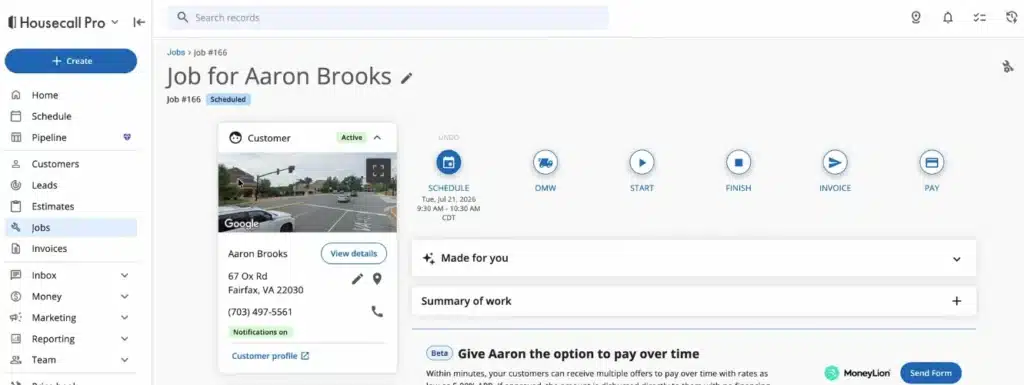
FieldPulse gives you more control when those two jobs need to follow very different processes.
ClearPath can provide a repair with a short set of stages, while an installation follows a longer process that includes estimating, approvals, parts, installation, testing, and follow-up. Required actions can also be attached to individual stages.

That matters because inconsistent processes create extra office work. If dispatchers are calling technicians to check whether a form was completed, a part was ordered, or a follow-up was scheduled, the workflow is living partly in the software and partly in people’s heads.
FieldPulse gives businesses more ability to move those rules into the platform.
Housecall Pro takes the simpler approach, which can be an advantage if your team does not need that level of configuration.
The difference: Housecall Pro is easier to keep standardized when most work follows a familiar process. FieldPulse gives you more control when jobs need different stages, actions, and handoffs.
Related: How to Choose Field Service Management Software
3. Scheduling, Dispatching, Mobile Tools, and Offline Work
Schedule changes are already common in field service. Salesforce research found that 47% of field service appointments do not go according to schedule. When plans change during the day, technicians need access to current job information wherever the work takes them.
With Housecall Pro, technicians can still view information from a job they opened while connected, including customer details, history, line items, notes, checklists, and previously viewed attachments.
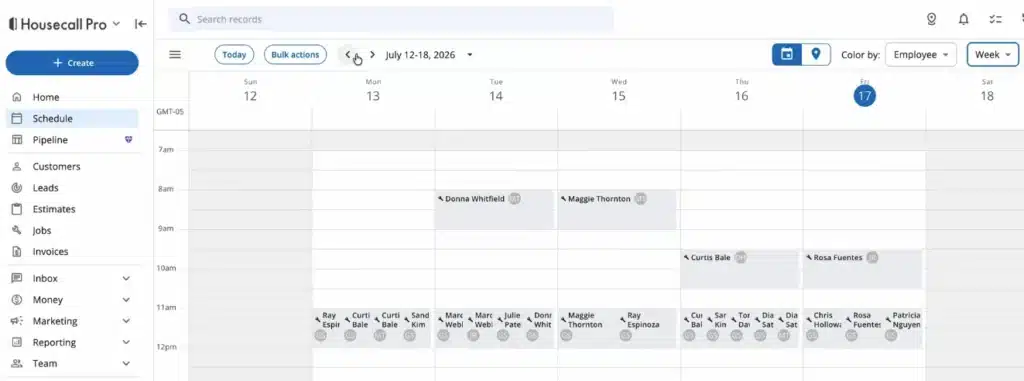
That is useful for reference, but Housecall Pro does not currently support offline editing. A technician who needs to update the checklist or document completed work must wait until the connection is restored.
FieldPulse goes further. Recent jobs and projects are cached automatically with related records, and technicians can continue working with notes, photos, forms, time, materials, estimates, invoices, statuses, and signatures while offline.

The updates synchronize once service returns.
For businesses that regularly work in areas with poor reception, that difference can affect whether the technician can finish the paperwork at the job or has to remember it later.
The difference: Housecall Pro provides offline access to stored job information. FieldPulse supports a much broader working offline experience.
4. QuickBooks Integration and Accounting Workflow
A QuickBooks integration reduces duplicate work.
That matters when cash is already tied up in unpaid work. Intuit’s 2025 QuickBooks research found that U.S. small businesses with outstanding invoices were owed more than $17,000 on average. Clean invoicing, payment, and accounting workflows can help keep financial records current without creating another round of manual entry.
Housecall Pro and FieldPulse both connect with QuickBooks, but they move information differently.
Housecall Pro’s QuickBooks Online integration is primarily one-way. Invoices, payments, new customers, and new pricebook items can move from Housecall Pro into QBO. Some information can also be imported during setup, and certain payment updates can be manually pulled back.
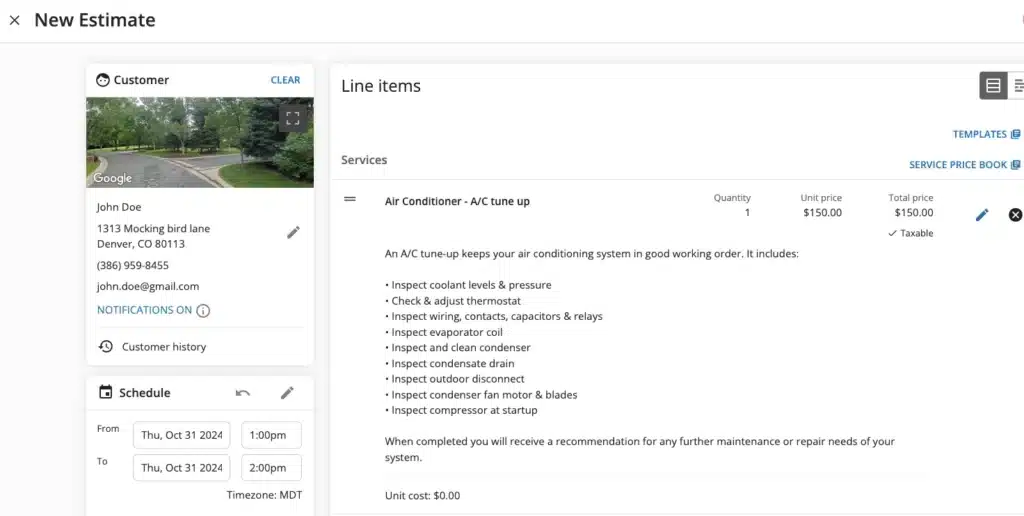
Housecall Pro also supports QuickBooks Desktop, but after setup, the sync runs from Housecall Pro into QuickBooks Desktop. Its documentation also notes limits on what can be transferred.
FieldPulse offers broader two-way synchronization.
With QuickBooks Online, customers, line items, estimates, invoices, and payments can sync in both directions. FieldPulse also supports two-way sync for key records with QuickBooks Desktop versions.

That matters if your office and accounting team make changes. A one-way sync may be enough if QuickBooks mainly receives completed job data. Two-way sync becomes more useful when records need to stay aligned across both systems.
The difference: Housecall Pro is mainly designed to push field-service data into QuickBooks. FieldPulse supports broader two-way synchronization for key records.
5. Inventory, Equipment, Reporting, and Room for Growth
Both platforms give growing service businesses tools to track equipment, materials, and job costs.
Inventory becomes a bigger management issue as more money is tied up in parts and materials. In the U.S. Chamber’s Q3 2025 Small Business Index, 26% of small businesses said materials and inventory were the areas they focused most of their investment on, second only to marketing and sales.
Housecall Pro’s Property Profile can store equipment details such as make, model, serial number, installation date, and notes against a customer’s property. Teams can also track materials used on jobs and include labor, services, commissions, and other expenses in job-costing reports.
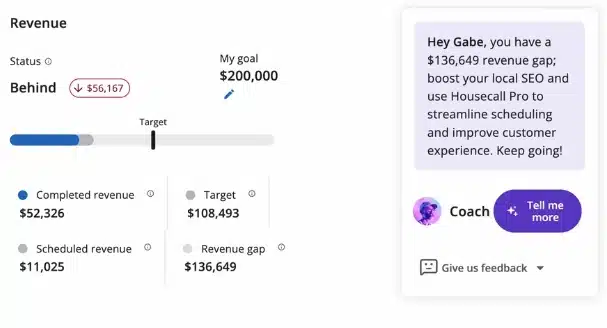
FieldPulse goes further into dedicated inventory and asset management.
Parts can be tracked across trucks, warehouses, and job sites, with purchase orders, low-stock alerts, barcode scanning, and serialized inventory. Asset records can also include warranties, lifecycle status, service history, and maintenance agreements.

That additional depth becomes more useful when the business is managing more vehicles, parts, equipment, and recurring service work.
The difference: Housecall Pro provides useful equipment and cost tracking. FieldPulse has the advantage when inventory, purchasing, and asset history need to be managed in more detail.
What If Housecall Pro Feels Too Standardized but FieldPulse Pricing Is Hard to Predict?
You may not want to choose between simpler workflows and less predictable user costs.
Housecall Pro makes everyday field service management relatively straightforward, but teams with more specialized operational needs may want additional flexibility.
FieldPulse offers that depth, but its seat-based pricing requires a custom quote.
Service Fusion takes a different approach to the same growth problem.
Every plan includes unlimited users, while higher plans add features such as inventory management and job costing as operations become more complex.
Related: Best FSM Software With No Per-User Fees in 2026
Where Service Fusion Fits
Service Fusion combines published pricing with unlimited users across every plan.
That matters as the team grows. A new technician, dispatcher, estimator, or office employee can be added without incurring an additional software charge.
Starter costs $208 per month when billed annually and covers the core workflow, including customer management, scheduling and dispatching, estimates, jobs, invoicing, payments, QuickBooks integration, projects, and reporting.
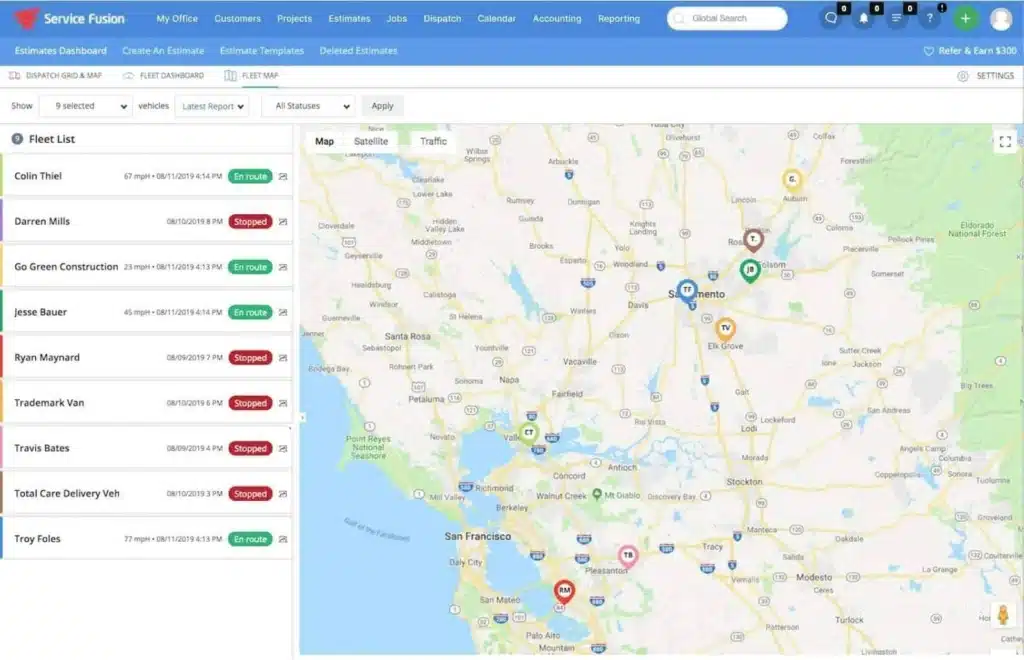
Plus costs $325 per month annually and adds inventory management, job costing, job photo uploads, and integrated voice and text. Pro costs $533 per month annually and adds an Open API, custom documents, eSign, a customer portal, and progress and recurring billing.
Housecall Pro may suit teams that want a more standardized everyday workflow. FieldPulse gives businesses more control over specialized processes. Service Fusion offers another option for growing teams that want broader operational functionality without tying software costs to user count.
FieldPulse vs Housecall Pro vs Service Fusion
If all three platforms are still on your shortlist, focus on the kind of complexity you expect to manage over the next few years.
Some businesses need more control over workflows and field operations. Others need a system that stays simple as job volume increases. And some are primarily trying to avoid rising software costs as they add technicians and office staff.
| Platform | Best Fit | Key Strength | Main Trade-Off |
| FieldPulse | Businesses with varied or specialized workflows | Deeper workflow configuration, offline capabilities, inventory, and asset management | Custom seat-based pricing requires a quote. |
| Housecall Pro | Businesses with relatively consistent service workflows | Straightforward day-to-day tools, published pricing, and a free trial | Less flexibility for complex workflows and offline work. |
| Service Fusion | Growing teams that want broad operational functionality | Unlimited users, published plans, and support for QuickBooks Online and Desktop | Less specialized workflow and offline depth than FieldPulse |
That makes the decision more practical. Choose based on the operational problem you are trying to solve now and the one you are most likely to face next.
Final Verdict
There is no single winner between FieldPulse and Housecall Pro.
Housecall Pro is a strong fit for businesses that value straightforward workflows, published pricing, and an easier way to evaluate the software before committing.
FieldPulse has the advantage when different job types need more customization or when inventory, equipment, QuickBooks, and offline fieldwork require greater control.
Service Fusion offers another option for businesses that need broader operational tools as their teams grow.
Unlimited users on every plan make it easier to add technicians, dispatchers, estimators, and office staff without increasing software costs with every hire. Businesses can then move to higher plans as they need inventory, job costing, and other functionality.
For a growing service business, the best choice is the one that still makes sense as more people, more jobs, and more moving parts emerge.
See How Anderson Plumbing Grew Revenue 12x.
Anderson Plumbing added 12 technicians without increasing software user costs and created 2,865 new jobs with Service Fusion.
View the Anderson Plumbing Case Study
Frequently Asked Questions
Is FieldPulse or Housecall Pro better?
FieldPulse is generally a better fit for businesses that need configurable workflows, broader offline work, deeper inventory and asset management, and two-way QuickBooks sync. Housecall Pro may be better for teams that prioritize straightforward workflows, published pricing, and a free trial.
Service Fusion is also worth comparing if you need broad field service functionality with published pricing and unlimited users as your team grows.
Service Fusion is also worth comparing if you need broad field service functionality with published pricing and unlimited users as your team grows.
Is FieldPulse or Housecall Pro better for HVAC companies?
FieldPulse may be better for HVAC companies with varied repair and installation workflows, detailed equipment records, inventory needs, or frequent work in areas with poor connectivity. Housecall Pro may be a good fit for HVAC teams that want a more standardized workflow and straightforward scheduling, dispatching, estimating, invoicing, and payment processes.
Service Fusion is another option for growing HVAC businesses that want unlimited users, QuickBooks integration, and access to inventory and job costing on applicable plans.
Service Fusion is another option for growing HVAC businesses that want unlimited users, QuickBooks integration, and access to inventory and job costing on applicable plans.
Does Housecall Pro work offline?
Yes. Housecall Pro supports offline viewing of job information, but technicians must open the job while they still have Wi-Fi or cellular service. Offline editing is not currently supported, and jobs are the only area of the app where data can be stored for offline access.
Stored information can include customer details, job history, line items, notes, checklists, and previously viewed attachments.
Stored information can include customer details, job history, line items, notes, checklists, and previously viewed attachments.
Does FieldPulse integrate with QuickBooks?
Yes. FieldPulse integrates with QuickBooks Online and supports versions of QuickBooks Desktop. It provides two-way synchronization for key records, including customers, line items, estimates, invoices, and payments.
FieldPulse also supports sending purchase orders to QuickBooks Online. Its QuickBooks Desktop integration supports 2023 and newer Contractor, Pro, Premier, and Enterprise editions on Windows, with documented limitations for both integrations.
FieldPulse also supports sending purchase orders to QuickBooks Online. Its QuickBooks Desktop integration supports 2023 and newer Contractor, Pro, Premier, and Enterprise editions on Windows, with documented limitations for both integrations.
Which is better for a growing service business: FieldPulse, Housecall Pro, or Service Fusion?
FieldPulse is a strong fit when growth creates more complex workflows, inventory, equipment, or offline requirements. Housecall Pro is for businesses that want straightforward, everyday workflows and published pricing. Service Fusion is worth considering when growth means adding more employees, because every current plan includes unlimited users.
Service Fusion plans scale by functionality rather than user count, which can make software costs easier to predict as technicians, dispatchers, estimators, and office staff are added.
Service Fusion plans scale by functionality rather than user count, which can make software costs easier to predict as technicians, dispatchers, estimators, and office staff are added.
Grow Without Adding More Admin
More jobs and more technicians can also mean more handoffs, duplicate entries, and information scattered across systems.
Service Fusion brings customer management, scheduling, field work, invoicing, payments, QuickBooks, projects, and reporting together so the office and field can work from the same platform.
With unlimited users on every plan, adding another employee does not incur an additional user fee.
See how Service Fusion can support your next stage of growth.
Schedule a Free Service Fusion Demo
Article Sources
- Salesforce, Tradespeople, Techs Waste Nearly a Full Day’s Work Weekly on Paperwork, 81% Think AI Agents Can Help, April 9, 2025.
- Intuit QuickBooks, 2025 Small Business Late Payments Report, May 28, 2025.
- U.S. Chamber of Commerce, Inflation Still Top Concern, Despite Retreat From Record High, September 24, 2025.
Related Posts
Plumbing License Requirements by State
Continue ReadingFree vs Paid Field Service Management Software: Is It Worth the Cost?
Continue ReadingStay Informed
Get the latest news and insights plus, Service Fusion offers and updates.Thank you for your submission.
SHARE