


A flat rate price is a fixed fee you charge a customer before starting a job. Rather than tracking hours of labor and the exact materials used, you set a single price for a given service and charge it consistently.
A plumber might charge a flat fee of $200 for a standard drain cleaning. An electrician might charge $180 for a ceiling fan installation. The customer knows the number before any work begins, and that number doesn’t change based on how the job actually goes.
Because the price is fixed while the actual cost of doing the work varies from job to job, your margin on any single job will fluctuate a little. It averages out across enough jobs, and pricing certainty is often worth more to customers than a few dollars either way. Try Service Fusion’s pricing quiz to see how your current approach compares.
Jobber and FieldPulse look closely matched until you get into the details.
Need QuickBooks Desktop? FieldPulse supports it. Want to know your software cost before speaking to sales? Jobber publishes its pricing. Regularly service the same customer equipment or work without a reliable signal? The gap widens again.
Those differences can matter far more than another scheduling feature or payment option. This guide compares Jobber and FieldPulse across pricing, workflows, dispatch, offline work, equipment tracking, QuickBooks, and more to show where each platform genuinely has the advantage.
What Is the Difference Between Jobber and FieldPulse?
The main difference between Jobber and FieldPulse is how much control they give you over the way work is managed.
Jobber keeps everyday field service workflows relatively simple, with tools for scheduling, quoting, invoicing, payments, and customer communication.
FieldPulse goes deeper into configurable operations, including custom job stages, technician workflows, equipment records, inventory, and offline field work.
Service Fusion takes a different approach by combining a broad set of operational tools with published plan pricing and unlimited users.
Jobber is a strong fit for simpler workflows, FieldPulse for more specialized processes, and Service Fusion for teams that want more operational depth without adding user fees as they grow.
Jobber vs FieldPulse at a Glance
| Category | Jobber | FieldPulse |
| Best For | Service businesses that want simpler, standardized workflows | Businesses that need more configurable field operations |
| Pricing | Published pricing based on plan and team size | Custom, seat-based pricing |
| Scheduling and Dispatch | Scheduling, mapping, reassignment, and route optimization | Scheduling, dispatching, workflow automation, and custom job stages |
| Mobile and Offline | Mobile tools with offline time tracking, notes, and attachments | Broader offline workflows across jobs, forms, estimates, and invoices |
| Equipment Tracking | Equipment details via property custom fields | Dedicated asset and equipment management |
| Accounting Integration | QuickBooks Online with primarily one-way syncing | QuickBooks Online, and supported Desktop versions with two-way sync for key records |
| Inventory | No comparable dedicated inventory system | Dedicated inventory and purchasing tools |
| Main Consideration | Easier to understand and adopt, but specialized workflows may need workarounds | More operational flexibility, but pricing requires a quote. |
What Is Jobber?
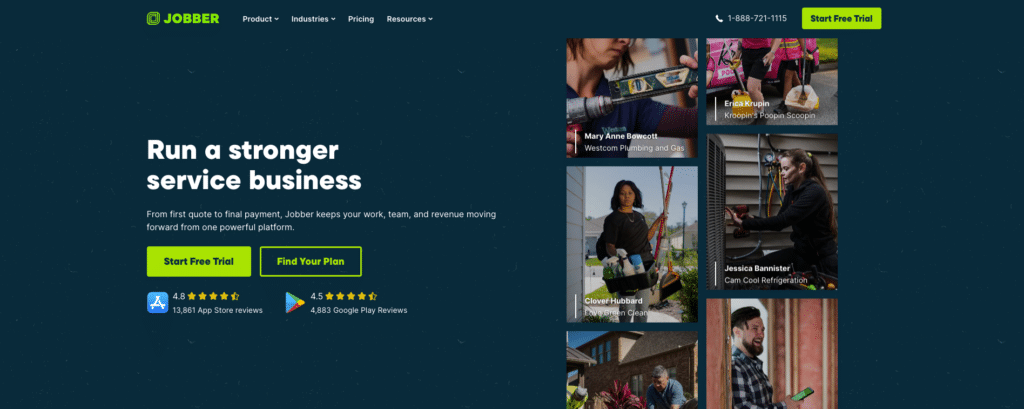
Jobber is field service management software designed to keep the path from customer request to payment as simple as possible.
Its core tools cover customer management, quotes, scheduling, jobs, invoices, payments, and technician workflows. Customers can also book work online and use Client Hub to approve quotes, check appointments, pay invoices, and request more work.
Jobber becomes more capable as you move through its plans. Higher tiers add tools such as job costing, workflow automation, and route optimization.
The overall approach is straightforward. Jobber gives service businesses a connected set of tools to run everyday work without extensive workflow configuration.
Related: Service Fusion vs. Jobber: Full Comparison
What Is FieldPulse?

FieldPulse is built for service businesses that need more than a single standard workflow.
The platform covers customer management, scheduling, dispatching, work orders, estimating, invoicing, projects, mobile access, and QuickBooks synchronization.
It then adds more control over how those processes are organized. With ClearPath, different job types can follow their own stages, and technicians can be guided through the specific actions required at each one.
That approach extends to equipment tracking, inventory, purchasing, and offline fieldwork, giving FieldPulse greater operational depth when jobs are harder to standardize.
Related: Service Fusion vs. FieldPulse: Full Comparison
Jobber vs FieldPulse: 5 Key Differences
Jobber and FieldPulse both cover the basics, like scheduling and invoicing. The main differences are in pricing, workflow flexibility, offline access, equipment tracking, and accounting.
1. Pricing and Contracts
Jobber makes budgeting easier by letting you see the pricing before speaking with sales. Its plans are priced by features, team size, billing term, and commitment.
Core is designed for one user, while Connect, Grow, and Plus increase in cost as you add users and functionality. There is also a 14-day free trial with no credit card required.
FieldPulse uses custom seat-based pricing instead. Essentials, Professional, and Enterprise are priced according to the package and the types of users you need. Full-access seats cover the wider platform, while field seats are aimed at technicians who mainly need jobs, files, and time tracking on mobile.
That means you need a quote before you can compare the total cost.
The difference: Jobber gives you more pricing certainty upfront. FieldPulse may still work out cheaper for a particular team, but you cannot know without speaking to sales.
2. Ease of Use and Workflow Customization
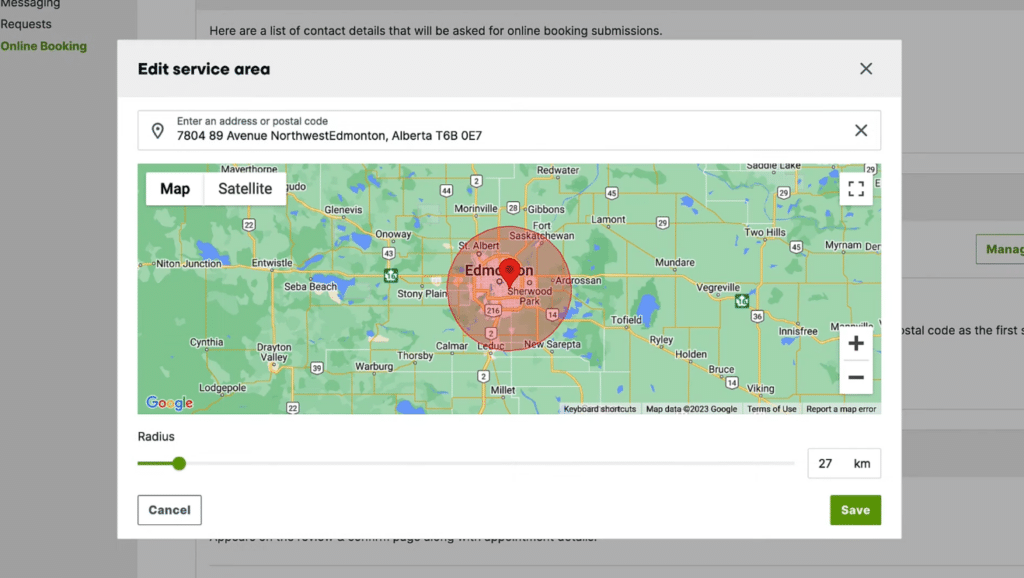
Jobber works well when most jobs follow a fairly consistent path from booking through to completion and invoicing. You can customize fields across clients, quotes, jobs, and invoices, while tools like online booking let you set specific service areas and travel radius. Higher plans also add workflow automations.
FieldPulse gives you more control when different types of work need to be handled differently. ClearPath lets you create separate stages for installations, repairs, maintenance, and other services, then decide what technicians need to complete at each stage.
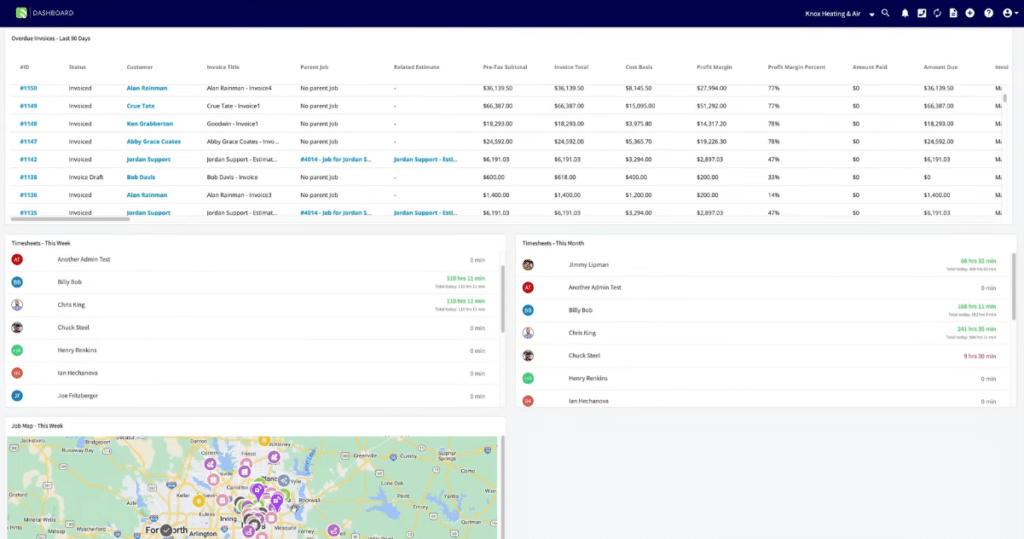
That is useful for jobs with more steps, like installations that involve a site visit, estimate approval, parts ordering, installation, commissioning, and follow-up.
The difference: Jobber is a strong fit when workflows are consistent. FieldPulse has the advantage when different services need different stages, actions, or handoffs.
3. Scheduling, Dispatching, and Mobile Tools
Scheduling software matters most when the schedule stops going to plan.
Disruption is far from unusual. Salesforce research found that nearly half of field service appointments don’t go as scheduled, while technicians lose more than seven hours each week to administrative tasks.
Jobber gives office teams multiple calendar views, drag-and-drop rescheduling, mapping, and route optimization, making it easier to react when appointments move or technicians become available.
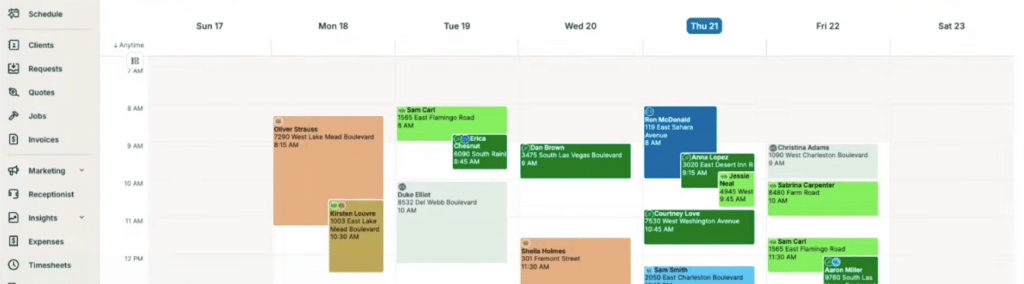
Its mobile app covers the tasks technicians are likely to need during the day, including viewing job information, adding notes, tracking time, collecting signatures, invoicing, and taking payments.
FieldPulse adds more flexibility around dispatch. Assignments can take availability, technician skills, or location into account, while custom workflows control what happens after the technician reaches the job.
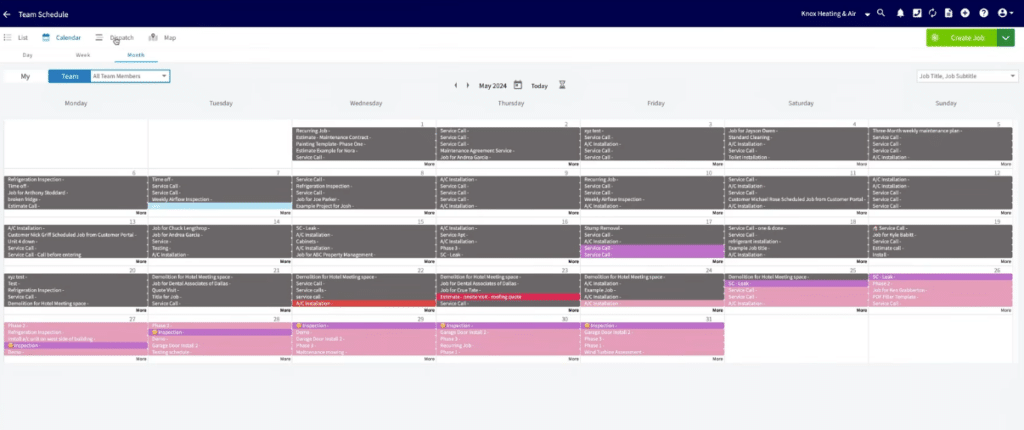
Offline work is one of the clearer differences. Jobber supports offline time tracking, notes, and attachments. FieldPulse goes further by caching recent jobs, projects, customer records, forms, estimates, and invoices, allowing technicians to continue completing more of the workflow without a connection.
The difference: Jobber has strong tools for managing a changing schedule. FieldPulse becomes more useful when dispatch rules are more complex or technicians regularly work in low-connectivity areas.
Related: 4 Things Your Service Dispatch Software Should Do for You
4. Customer Management and Equipment Tracking
Jobber is built around the customer and the property.
Client records bring together contact details, billing information, addresses, past and upcoming work, quotes, invoices, and notes. Client Hub also gives customers a place to approve quotes, check appointments, pay invoices, and request more work.
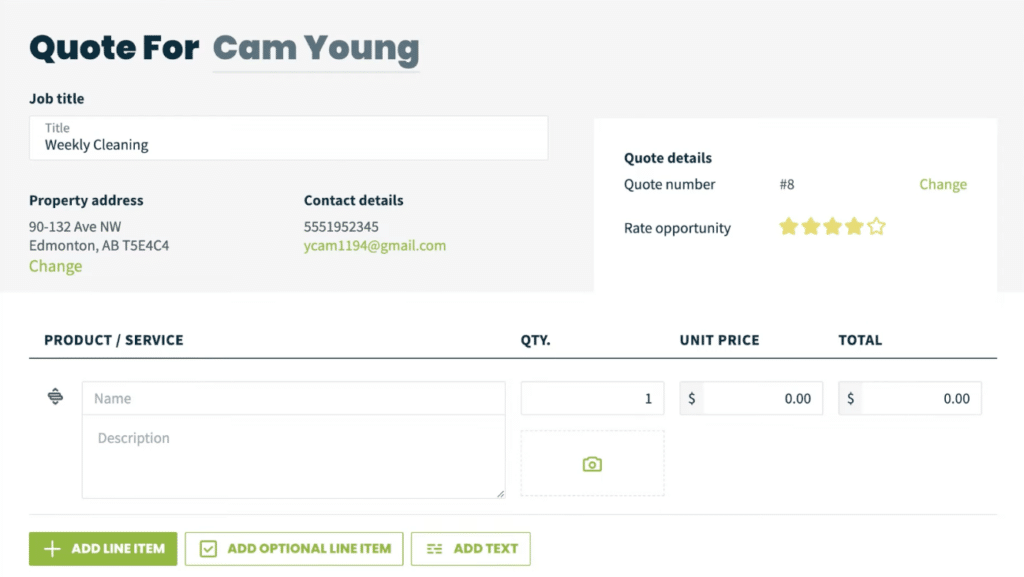
You can use custom property fields to store additional details such as equipment type, model number, access information, or other site-specific notes.
FieldPulse goes further when the equipment itself needs to be tracked over time. Dedicated asset records can store installation dates, warranty information, service history, lifecycle status, and previous jobs. Assets can also be linked to service agreements and identified using barcodes.
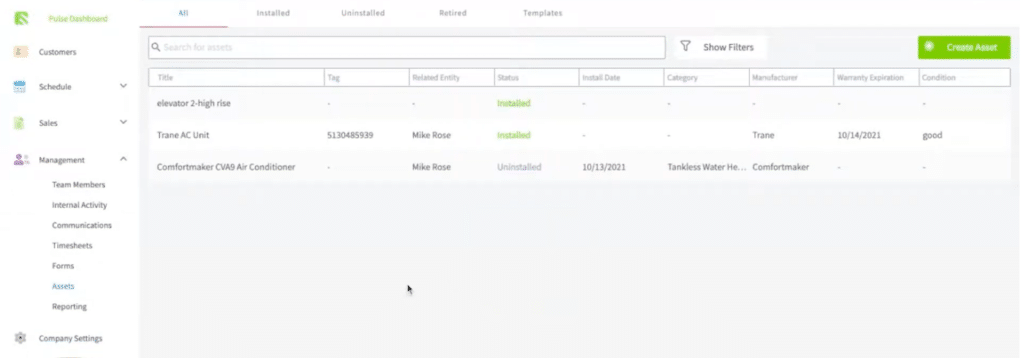
That matters most for trades that return to service the same equipment repeatedly. For example, a HVAC technician may need to know which unit they are working on, what was repaired last time, and whether it is still under warranty.
The Difference: Jobber keeps equipment information within the wider customer and property record. FieldPulse gives each asset its own service history and lifecycle.
5. Invoicing and Reporting
Jobber and FieldPulse both cover estimates, invoices, and payments. Their accounting workflows are much less alike.
Jobber integrates with QuickBooks Online, with ongoing data flowing from Jobber into QuickBooks after the initial connection. That can keep clients, invoices, payments, products and services, and supported timesheet information aligned without entering the same data twice.
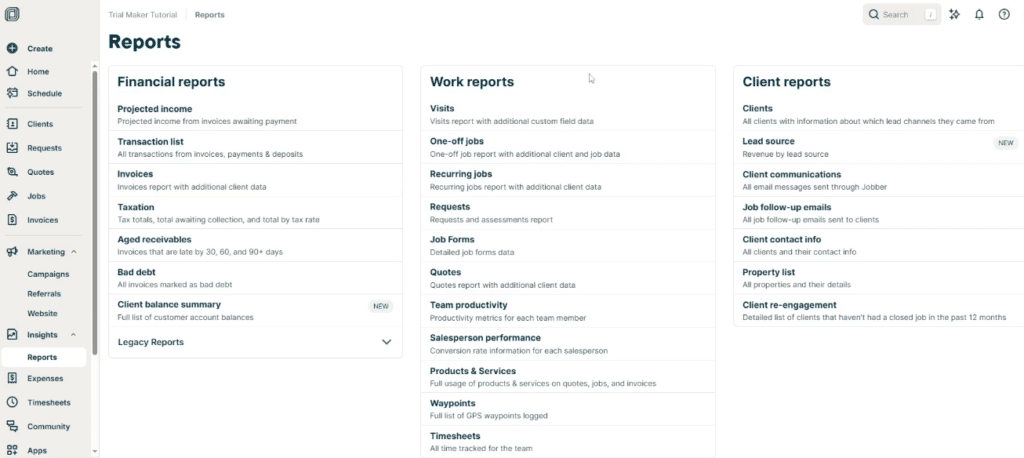
FieldPulse supports a deeper QuickBooks setup. It works with both QuickBooks Online and supported QuickBooks Desktop versions, and offers two-way synchronization for key records such as customers, estimates, invoices, payments, and line items.
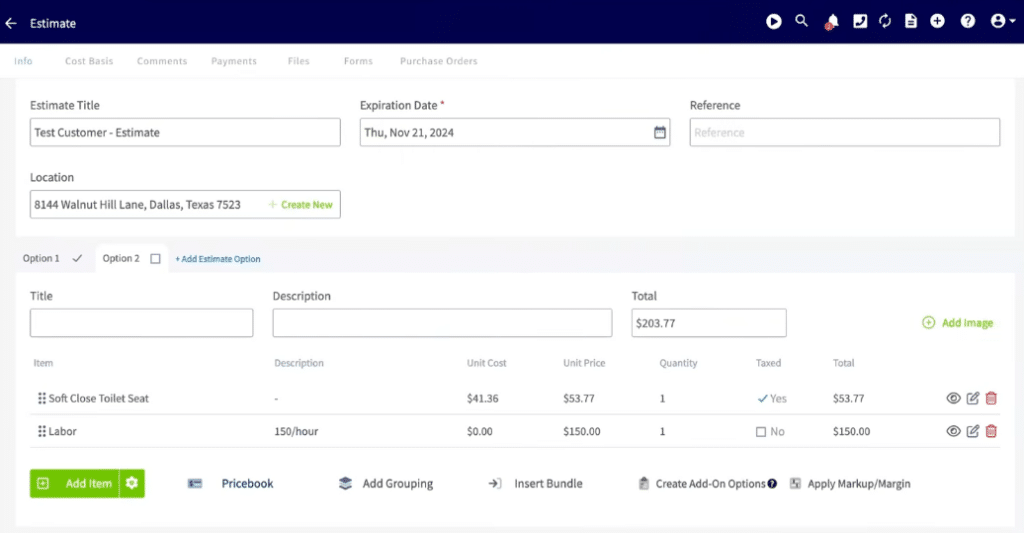
It also connects accounting more closely with inventory. FieldPulse can track stock, serialized items, warranties, technician usage, and purchase orders as parts move through the business.
Jobber does not offer the same dedicated inventory workflow, but Grow and Plus include job costing for tracking labor, expenses, profit, margin, and line-item costs.
Cost visibility matters too. In the Federal Reserve’s 2025 Small Business Credit Survey, 75% of employer firms said rising costs were a financial challenge, while 51% reported uneven cash flow.
The Difference: Jobber keeps accounting and profitability tracking relatively simple. FieldPulse is stronger when accounting needs to connect with inventory, purchasing, or QuickBooks Desktop.
Related: How to Streamline QuickBooks and Customer Data Entry
What If Jobber Is Too Standardized but FieldPulse Pricing Is Too Hard to Predict?
Growing teams often need more than basic scheduling and invoicing.
That pressure is likely to continue across the trades as demand increases. The Bureau of Labor Statistics projects around 608,100 openings a year across installation, maintenance, and repair occupations between 2024 and 2034.
Inventory, project management, job costing, and more detailed operational controls can become increasingly important as the business grows more complex.
FieldPulse offers much of that depth, but its custom seat-based pricing makes it harder to predict what the software will cost as you add technicians, dispatchers, or office staff.
Service Fusion offers another route, with published plan pricing, unlimited users, and a broader set of operational tools.
Where Service Fusion Fits
Service Fusion combines published pricing with unlimited users across all plans.
That matters as the team grows. A new technician, dispatcher, or office employee can be added without incurring an additional per-user software charge.
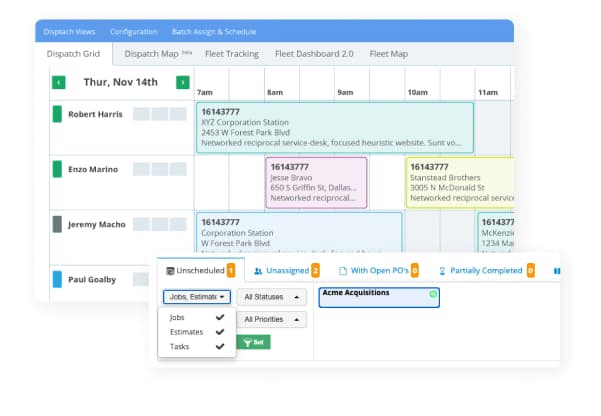
Starter costs $208 per month when billed annually and covers the core workflow, including customer management, scheduling and dispatching, estimates, jobs, invoicing, payments, QuickBooks integration, project management, and reporting.
Plus costs $325 per month annually and adds inventory management, job costing, job photo uploads, and integrated voice and text. Pro costs $533 per month annually and adds an open API, custom documents, eSign, a customer portal, and progressive and recurring billing.
Jobber vs FieldPulse vs Service Fusion
Jobber, FieldPulse, and Service Fusion all cover the core FSM basics. The main difference is who they’re built for and how much flexibility you need.
| Platform | Best For | Main Advantage | Main Consideration |
| Jobber | Service businesses with relatively standardized workflows | Straightforward everyday FSM tools, customer self-service, and published pricing | More specialized processes may need workarounds or higher plans |
| FieldPulse | Businesses with more specialized workflows, assets, and field requirements | Custom workflows, dedicated asset management, offline work, inventory, and two-way QuickBooks sync | Custom seat-based pricing makes costs harder to compare upfront |
| Service Fusion | Growing service businesses adding technicians and office staff | Unlimited users, published pricing, and broad operational tools | Highly specialized workflow requirements may favor a more configurable system. |
Jobber is the simplest fit for standard service workflows. FieldPulse suits businesses that need more customization, while Service Fusion works well for growing teams that want broad features and predictable pricing.
Final Verdict
There is no single winner here.
Jobber is a good fit if simplicity, published pricing, and a smooth customer journey matter most. FieldPulse has the advantage when jobs, equipment, inventory, or accounting workflows need more customization.
The harder question comes when your business needs broader operational tools, but you do not want software costs to climb every time the team grows.
That is where Service Fusion stands out. Every plan includes unlimited users, along with scheduling, dispatching, projects, invoicing, payments, reporting, and other tools for running the operation.
For a growing service business, that can make it easier to add capacity without adding another seat fee with every hire.
See How Carolina HVAC Keeps 5,000 Jobs a Year Moving
Carolina HVAC uses Service Fusion to manage scheduling, customer information, payments, and communication across a 25-person team handling around 5,000 jobs each year.
Frequently Asked Questions
Can Jobber and FieldPulse work offline?
Yes. Both Jobber and FieldPulse offer offline functionality, but FieldPulse supports a broader range of offline tasks.
Jobber can keep timers running and save notes and attachments until the device reconnects. FieldPulse can also cache recent customers, jobs, projects, forms, estimates, and invoices, allowing technicians to continue updating records before syncing changes later.
Is Jobber or FieldPulse better for HVAC businesses?
Jobber is better suited to HVAC businesses with relatively straightforward service workflows, while FieldPulse is stronger for more complex equipment and operational needs.
Jobber covers scheduling, recurring jobs, quoting, invoicing, payments, and customer communication. FieldPulse adds dedicated asset tracking, warranty and maintenance records, inventory management, and more configurable job workflows.
Service Fusion is another option for growing HVAC teams that want broader operational tools with unlimited users.
Is FieldPulse more customizable than Jobber?
Yes. FieldPulse offers more workflow customization than Jobber.
FieldPulse lets businesses create job stages, define required technician actions, automate workflow events, and build processes tailored to different types of work. Jobber supports custom fields and workflow automations on selected plans, but its core workflow is more standardized.
What are the best alternatives to Jobber and FieldPulse?
Service Fusion is a strong alternative to Jobber and FieldPulse for growing field service businesses. It combines scheduling, dispatching, customer management, project management, invoicing, payments, QuickBooks integration, and reporting, with unlimited users on every plan.
Service Fusion Plus also includes inventory management and job costing, making it worth considering for teams that need broader operational tools without per-user pricing.
Make Growth Easier to Manage
As the team grows, keeping jobs, customers, schedules, and costs visible becomes harder.
Service Fusion brings those workflows together while including unlimited users on every plan. Teams can manage scheduling, dispatching, projects, invoicing, payments, reporting, and, on higher plans, inventory and job costing.
See how Service Fusion could fit the way your business is growing.
Schedule a Free Service Fusion Demo
Article Sources
- Salesforce, Field Service Management Trends, April 9, 2025.
- Federal Reserve Banks, 2025 Report on Employer Firms: Findings from the 2024 Small Business Credit Survey, March 27, 2025.
- U.S. Bureau of Labor Statistics, Installation, Maintenance, and Repair Occupations, August 28, 2025.
Related Posts
How to Hire and Retain HVAC Technicians in 2026
Continue ReadingWhat Is Payment Processing?
Continue ReadingStay Informed
Get the latest news and insights plus, Service Fusion offers and updates.Thank you for your submission.
SHARE